Why Businesses Choose Megabytes Technologies for Salesforce Consulting

Why Businesses Choose Megabytes Technologies for Salesforce Consulting?

In today’s highly competitive digital landscape, Salesforce has become the #1 CRM platform for businesses looking to streamline operations, improve customer relationships, and drive growth. However, simply having Salesforce isn’t enough — you need the right consulting partner to unlock its full potential. 

This is where Megabytes Technologies stands out as a trusted Salesforce consulting company, offering tailored solutions to help businesses achieve measurable success. 

Whether you’re a startup or an enterprise, here’s why companies worldwide choose Megabytes Technologies for their Salesforce consulting services.

1. Proven Expertise Across Salesforce Clouds

Megabytes Technologies has a team of certified Salesforce experts skilled in multiple Salesforce clouds:

  • Sales Cloud – streamline your sales process and boost revenue. 
  • Service Cloud – deliver exceptional customer service experiences. 
  • Marketing Cloud – create personalized marketing campaigns powered by data. 
  • Field Service Lightning (FSL) – optimize workforce management. 
  • CPQ & Billing – simplify complex pricing and invoicing. 

By combining deep technical expertise with business strategy, we ensure that your Salesforce implementation is designed for maximum ROI

2. Customized Solutions for Every Business

No two businesses are the same — which is why cookie-cutter Salesforce solutions don’t work

Megabytes Technologies specializes in custom Salesforce consulting, helping you:

  • Build tailored workflows for your unique processes. 
  • Integrate Salesforce with third-party apps like ERP, payment gateways, and marketing tools
  • Create custom Lightning Web Components (LWC) for advanced functionality. 
  • Optimize your existing Salesforce instance to improve performance.

This personalized approach ensures you get a CRM that truly aligns with your business goals.

3. Affordable and Scalable Salesforce Services

Many businesses hesitate to invest in Salesforce consulting due to high costs. Megabytes Technologies solves this by offering:

  • es Technologies solves this by offering: 
  • Flexible pricing plans tailored to startups, SMEs, and enterprises. 
  • A scalable model that grows with your business needs. 
  • Cost-effective Salesforce support services, so you only pay for what you need.

This makes us the ideal partner for businesses looking for affordable Salesforce consulting without compromising on quality

4. End-to-End Salesforce Support

Megabytes Technologies provides comprehensive support throughout your Salesforce journey:

  • Consultation & Strategy – identify business needs and define objectives. 
  • Implementation – configure and deploy Salesforce solutions. 
  • Integration – connect Salesforce with your existing tools and systems. 
  • Training – empower your team with hands-on Salesforce knowledge. 
  • Ongoing Support & Maintenance – ensure continuous improvement.

With 24/7 support, you never have to worry about downtime or technical issues.

5. Driving Measurable Business Growth

At Megabytes Technologies, we don’t just implement Salesforce — we drive real results
Our clients see improvements such as:

  • 30% increase in sales efficiency through process automation. 
  • 40% reduction in service response times with Service Cloud. 
  • Higher customer satisfaction scores thanks to improved workflows.

Our focus is on tangible business growth, not just technical implementation.

Why Businesses Trust Megabytes Technologies

Key Benefits Megabytes Technologies 
Certified Salesforce Experts ✅ Yes 
Affordable Pricing ✅ Yes 
Tailored Solutions ✅ Yes 
24/7 Support ✅ Yes 
End-to-End Implementation ✅ Yes 

With deep industry expertise and a client-first approach, we’ve become the go-to Salesforce consulting partner for businesses across multiple sectors, including finance, healthcare, real estate, retail, and technology.

Conclusion

Choosing the right Salesforce consulting company can make the difference between simply using Salesforce and unlocking its full power

Megabytes Technologies helps businesses optimize their CRM strategy, streamline processes, and achieve scalable growth through innovative Salesforce solutions. 

Get in touch today to discover how Megabytes Technologies can transform your Salesforce experience and accelerate your business success.

Powering Growth with Big Five CRM (1)

Megabytes Technologies: Powering Growth with Big Five CRM

Introduction: Driving Growth with Big Five CRM

In today’s competitive digital marketplace, smart decision-making is critical to growth. Megabytes Technologies, a leader in business solutions, empowers organizations with Big Five CRM, a cutting-edge tool designed to streamline operations, enhance customer engagement, and accelerate revenue. 

What makes Big Five CRM unique is its Decision Engine, which helps businesses take data-driven actions instantly. With this feature, companies can identify the right opportunities, improve sales efficiency, and deliver exceptional customer experiences.

Why Megabytes Technologies Chooses Big Five CRM

Megabytes Technologies selected BigFive CRM for its ability to integrate automation, analytics, and advanced decision-making in one platform.

Key Advantages:

  • Decision Engine for smarter actions 
  • Streamlined sales pipeline management 
  • Workflow automation to reduce manual tasks 
  • Real-time reporting and forecasting 
  • Scalable CRM solution for growing businesses

By using these features, businesses improve performance, minimize lead leakage, and achieve sustainable growth.

Key Features of Big Five CRM That Power Growth

Here’s how Big Five CRM drives success for Megabytes Technologies and its clients:

1. Decision Engine for Smart Business Actions

The Decision Engine is Big Five CRM’s standout feature. It uses real-time data and business rules to:

  • Automatically assign leads to the right sales reps 
  • Trigger follow-up actions based on customer behavior 
  • Prioritize high-value opportunities 
  • Optimize marketing campaigns using insights

Example:

If a lead’s engagement score drops, the Decision Engine can instantly create a follow-up task or send an automated re-engagement email — ensuring no opportunity is lost.

2. Streamlined Lead Management

BigFive CRM simplifies lead capture and nurturing:

  • Capture leads from websites, ads, and campaigns 
  • Assign leads automatically based on rules 
  • Prevent lead leakage with tracking and reminders

This ensures sales teams focus on the right leads at the right time.

3. Sales Pipeline Visibility

With BigFive CRM, businesses gain real-time insight into their sales pipeline:

  • Track every opportunity from lead to close 
  • Identify bottlenecks early 
  • Forecast revenue with accuracy

4. Automated Follow-Up Reminders

Missed follow-ups can cost sales. BigFive CRM’s automation ensures:

  • Automatic reminders for every sales rep 
  • Follow-up tasks created instantly 
  • Better customer retention through timely engagement

5. Real-Time Analytics and Reports

BigFive CRM delivers custom dashboards and actionable insights:

  • Monitor sales performance 
  • Analyze customer behavior 
  • Make smarter business decisions with predictive analytics

How Megabytes Technologies Implements Big Five CRM

Megabytes Technologies uses a structured approach to deploy BigFive CRM for its clients:

  • Discovery: Identify business challenges and goals. 
  • Customization: Configure BigFive CRM’s Decision Engine, fields, and workflows. 
  • Training: Equip teams to use the CRM effectively. 
  • Ongoing Support: Provide updates, troubleshooting, and growth-focused enhancements. 

This ensures clients quickly see measurable improvements in sales performance and customer management.

Benefits of BigFive CRM for Businesses

Businesses that adopt BigFive CRM with Megabytes Technologies experience:

  • 40% increase in lead-to-sale conversion rates 
  • 30% faster sales cycles 
  • Reduced manual errors with automation 
  • Improved customer engagement and retention 
  • Clear visibility into sales performance

Real-World Success: Driving Growth by 50%

A retail client working with Megabytes Technologies faced challenges with untracked leads and missed follow-ups. After integrating BigFive CRM’s Decision Engine:

  • Lead response time improved by 60% 
  • Sales grew by 50% in six months 
  • Customer satisfaction scores increased by 35%

Conclusion: Smarter Decisions, Faster Growth

The future of business growth lies in data-driven decision-making. With Megabytes Technologies and BigFive CRM, businesses gain a competitive edge through automation, advanced analytics, and intelligent workflows. 

By leveraging BigFive CRM’s Decision Engine, companies can streamline operations, close deals faster, and deliver exceptional customer experiences — all while driving sustainable growth. 

How Salesforce Improves Sales Forecasting Accuracy

How Salesforce Improves Sales Forecasting Accuracy?

Maximize Revenue Predictability with Smart Forecasting Tools

In today’s competitive market, accurate sales forecasting is essential. Businesses rely on reliable predictions to manage resources, set targets, allocate budgets, and drive strategic decisions. Inaccurate forecasts can lead to missed revenue goals, excess inventory, or misallocated headcount — all of which impact business performance. 

This is where Salesforce shines. With robust forecasting tools, real-time data insights, and AI-powered analytics, Salesforce transforms traditional sales forecasting into a precise, predictive engine for revenue growth. 

In this blog, we’ll explore how Salesforce enhances sales forecasting accuracy and what tools, features, and best practices help businesses stay ahead of the curve. 

What is Sales Forecasting?

Sales forecasting is the process of estimating future sales revenue based on historical data, market trends, and pipeline status. It enables businesses to: 

  • Set realistic revenue goals 
  • Manage supply chain and inventory 
  • Optimize team performance 
  • Align cross-functional strategies 

However, without the right tools, forecasts can be prone to human error, gut feelings, and outdated spreadsheets. This is where Salesforce provides a competitive edge

Key Salesforce Features That Enhance Forecasting Accuracy

1. Collaborative Forecasts

Salesforce’s Collaborative Forecasts feature allows sales leaders to: 

  • View forecast data in real time by team, territory, product, or rep 
  • Adjust forecasts based on pipeline changes or judgment calls 
  • Drill into individual deals contributing to the forecast 

This transparency helps teams collaborate more effectively and ensures that the entire sales org is aligned with forecast expectations. 

Example Tools:

  • Forecast Categories (Pipeline, Best Case, Commit, Closed) 
  • Adjustments by sales managers 
  • Forecast History tracking

2. Real-Time Pipeline Visibility

Salesforce provides end-to-end visibility into your sales pipeline, including:

  • Deal stage and age 
  • Expected close dates 
  • Revenue potential 
  • Sales activities and trends

With this data readily available, forecasting becomes grounded in reality rather than guesswork.

Why It Matters: 
Reps and managers can spot pipeline risks early, adjust forecasts, and make proactive decisions to keep the funnel healthy.

3. Einstein Forecasting – AI-Powered Insights

Einstein Forecasting uses machine learning to predict future sales outcomes more accurately than traditional methods. It considers factors like:

  • Deal progression speed 
  • Rep behavior and patterns 
  • Historical conversion rates 
  • External signals and activity levels

Benefits:

  • Predictive scoring of opportunities 
  • AI-recommended forecast numbers 
  • Confidence scores on each prediction 

This results in less human bias and more data-driven accuracy

4. Custom Forecast Models

Every business has a unique sales cycle. Salesforce allows customization of forecast models to align with: 

  • Specific opportunity stages 
  • Sales territories 
  • Product families 
  • Partner contributions

Advanced Capabilities:

  • Multi-currency and multi-region support 
  • Product Forecasting and Quantity Forecasting 
  • Split Forecasting (shared quota responsibility)

This flexibility ensures your forecasts reflect your business reality.

5. Integration with CRM Data

Salesforce integrates seamlessly with: 

  • Marketing automation tools 
  • CPQ systems 
  • Finance and ERP tools 
  • Customer support platforms

This allows for comprehensive data syncing, helping forecast revenue not just from new sales, but also from renewals, upsells, and cross-sells.

Connected Forecasting:

Combining CRM, marketing, and service data leads to a holistic view of customer behavior, enabling more accurate forecasting.

Best Practices for Improving Forecasting with Salesforce

  1. Standardize Opportunity Stages
    • Clear definitions for each stage reduce subjectivity and improve deal predictability.
  2. Encourage Regular Updates
    • Reps should update deals weekly. Leverage automation and reminders to ensure pipeline freshness.
  3. Use Historical Performance Data
    • Analyze past deals to fine-tune conversion rates, close time, and forecast confidence.
  4. Enable Forecast Adjustments 
    • Empower managers to make adjustments based on deal knowledge — but keep track of changes. 
  5. Review Forecast Trends Weekly 
    • Use dashboards to compare week-over-week changes and identify anomalies.
  6. Adopt AI-Driven Forecasting 
    • Let Einstein Forecasting guide you with predictive insights, especially for long sales cycles or enterprise deals. 

Business Benefits of Accurate Forecasting with Salesforce

  • Better Strategic Planning – Align marketing, sales, and finance using shared revenue insights 
  • More Predictable Revenue – Avoid surprises and meet quarterly targets 
  • Stronger Sales Coaching – Help reps close more deals with data-driven pipeline reviews 
  • Improved Budgeting – Plan hiring, production, and cash flow with confidence 
  • Risk Detection – Identify pipeline issues or underperforming teams early 

Conclusion: Predict with Precision

Sales forecasting shouldn’t be a guessing game. With Salesforce, businesses can move beyond static spreadsheets and vague predictions to achieve precision forecasting backed by real-time data and intelligent automation. 

Whether you’re a fast-growing startup or an established enterprise, accurate forecasting gives you control over your sales destiny — and Salesforce gives you the tools to get there. 

Boost B2B MBT Poster (1)

Boost B2B Conversions with Salesforce Lead Scoring and Automation

In B2B marketing, not every lead is created equal. Your sales team shouldn’t be wasting time chasing cold leads or guessing who to contact next. That’s where Salesforce lead scoring and sales automation step in. 

By combining data-driven lead scoring with powerful automation tools inside Salesforce, businesses can significantly improve lead prioritization, accelerate follow-ups, and close deals faster. 

In this blog, we’ll dive into how you can boost B2B conversions using Salesforce, and why lead scoring combined with automation is a game changer for modern sales teams. 

What is Lead Scoring in Salesforce? 

Lead scoring is the process of assigning values to leads based on their behavior, demographics, and engagement levels. In Salesforce, these scores help sales reps identify which leads are hot and which ones need more nurturing. 

Salesforce Lead Scoring Criteria Often Includes: 

  • Job title or company size (fit) 
  • Website visits or email opens (interest) 
  • Form submissions or downloads (intent) 
  • Source of the lead (organic, paid, referral)

Once scored, leads can be segmented and prioritized, enabling smarter sales outreach and better alignment between marketing and sales teams. 

Why Lead Scoring is Critical for B2B Sales 

In B2B sales cycles—which are typically longer and more complex—targeting the right leads at the right time is essential. Without lead scoring, sales teams waste time on unqualified or unready leads, resulting in poor conversion rates and low ROI. 

Key Benefits of Salesforce Lead Scoring:

  • Focus on leads most likely to convert 
  • Reduce time spent on unqualified prospects 
  • Align marketing-qualified leads (MQLs) with sales-ready leads (SQLs) 
  • Improve productivity and pipeline efficiency

What is Salesforce Automation? 

Salesforce automation refers to tools and workflows that automate repetitive sales and marketing tasks, such as sending emails, creating tasks, updating records, or nurturing leads.

Core Salesforce Automation Tools:

  • Process Builder (being replaced by Flow) 
  • Salesforce Flow (the new low-code automation standard) 
  • Einstein Lead Scoring (AI-based scoring) 
  • Marketing Cloud / Pardot (now Account Engagement) 

These tools allow you to scale outreach, personalize customer journeys, and ensure no lead is left behind.

How to Combine Lead Scoring + Automation for B2B Success

Step 1: Define Your Ideal Customer Profile (ICP)

Start by analyzing your best customers. Use attributes like:

  • Industry 
  • Job title 
  • Company revenue 
  • Geography 
  • Deal size 

Create custom fields in Salesforce to track these metrics, and assign point values to them. 

Step 2: Track Engagement Data 

Integrate Salesforce with Marketing Cloud, Pardot, or website tracking tools to capture:

  • Email opens 
  • Link clicks 
  • Content downloads 
  • Page views 

Use these interactions to determine how engaged a lead is with your brand.

Step 3: Build Lead Scoring Rules

Use Salesforce Einstein Lead Scoring or custom lead scoring formulas to assign numeric values.

Lead Behavior Score 
Opens an email +5 
Downloads whitepaper +15 
Requests a demo +25 
Visits pricing page +10 
Job title: C-Level +20 
Industry match +10 

Set a threshold score (e.g., 60 points) at which leads become Sales Qualified (SQLs) and get handed to sales.

Step 4: Automate the Lead Journey with Salesforce Flow

Once a lead hits the threshold, Salesforce Flow can: 

  • Create a task for a sales rep 
  • Send a personalized follow-up email 
  • Notify the sales manager 
  • Update lead status to “Sales Qualified” 

For lower-scoring leads, trigger automated nurture campaigns via Pardot or Marketing Cloud to build more interest.

Step 5: Analyze & Refine

Salesforce dashboards allow you to track conversion rates by lead score and measure sales effectiveness. 

Review metrics like: 

  • Average time to convert high-scoring leads 
  • Response rate by lead segment 
  • Close rate based on lead origin 

This helps refine your scoring model and improve automation workflows over time.

Real Business Impact: Why It Works

Businesses that implement Salesforce lead scoring and automation see measurable improvements, including: 

  • 35% faster sales response time 
  • 30% increase in marketing-to-sales conversions 
  • 40% improvement in lead engagement rates 
  • Better alignment between marketing and sales

“Salesforce’s automation and lead scoring transformed our B2B outreach. Our reps know exactly who to call and when, which has doubled our close rate.” 
— Director of Sales, SaaS B2B Company 

Best Practices for B2B Lead Scoring and Automation in Salesforce

  • Keep scoring simple at first; evolve with data 
  • Align scoring rules with your actual buyer journey 
  • Include both fit (demographics) and intent (behavior) 
  • Automate based on lead scores, not assumptions 
  • Regularly review and optimize your scoring model

Conclusion: Scale Smarter with Salesforce 

Lead scoring and automation are not just for enterprise giants. With Salesforce, businesses of all sizes can implement smart, scalable solutions to convert more leads into customers. 

By focusing on quality over quantity, and automating repetitive work, Salesforce empowers your team to do what they do best: build relationships and close deals. 

Ready to Maximize B2B Conversions?

Get started with Salesforce lead scoring and automation and watch your pipeline become more predictable and profitable.

guide to Salesforce manufacturing cloud

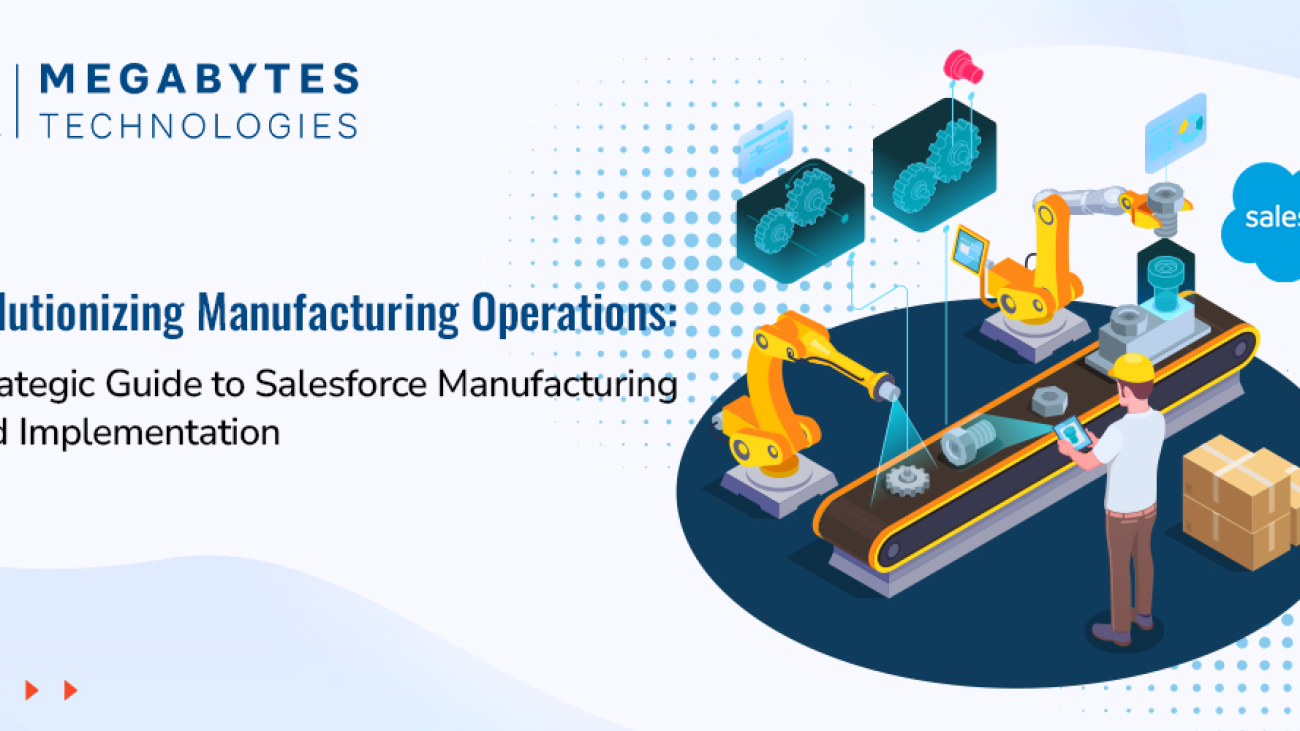
Revolutionizing Manufacturing Operations: A Strategic Guide to Salesforce Manufacturing Cloud Implementation

The manufacturing sector is at a pivotal moment in the era of digital transformation. Rapidly changing market dynamics, supply chain complexities, and heightened customer expectations have made it essential for manufacturers to adopt innovative digital solutions. Salesforce Manufacturing Cloud emerges as a powerful tool, purpose-built to meet these challenges and propel industrial operations into the future.

This guide provides an in-depth look at how Salesforce Cloud revolutionizes manufacturing operations, offering actionable insights into its implementation, features, and real-world benefits.

A Complete Guide to Salesforce Manufacturing Cloud Implementation

The manufacturing niche faces a distinct set of challenges that traditional CRM systems are not equipped to handle. Salesforce Manufacturing Cloud bridges these gaps by delivering industry-specific functionalities that align sales, production, and supply chain processes, enabling manufacturers to achieve greater efficiency, visibility, and customer satisfaction.

Unique Challenges Faced by the Manufacturing Sector

  • Disconnected Sales and Operations Planning: Lack of alignment leads to inefficiencies and missed opportunities.
  • Inaccurate Demand Forecasting: Results in overproduction or underproduction, increasing costs and customer dissatisfaction.
  • Limited Supply Chain Visibility: Hampers the ability to respond quickly to market fluctuations.
  • Complex Account Management: Managing diverse client relationships and agreements becomes time-consuming and error-prone.
  • Inefficient Partner Collaboration: Creates bottlenecks and delays in the production and delivery processes.

Salesforce Manufacturing Cloud directly addresses these challenges with tailored solutions that integrate seamlessly into manufacturing workflows.

Essential Components of Manufacturing Cloud Implementation

To maximize the impact of Salesforce Manufacturing Cloud, understanding its key components is crucial. Each feature is designed to enhance specific areas of manufacturing operations.

Account-Based Forecasting

Manufacturing Cloud’s account-based forecasting is a game-changer for sales and production alignment. It enables businesses to create accurate predictions by leveraging historical data, market trends, and real-time insights.

Key Benefits:

  • Aligns sales agreements with production capabilities.
  • Optimizes inventory levels and reduces waste.
  • Enhances data-driven decision-making processes.
  • Lowers operational costs by improving resource utilization.

Sales Agreement Management

This feature simplifies the management of complex sales agreements, ensuring clarity and efficiency.

Key Benefits:

  • Centralized platform for managing contracts.
  • Real-time tracking of committed vs. delivered quantities.
  • Automated processes for contract renewals.
  • Detailed variance analysis and actionable reporting.

Production Planning Integration

Seamlessly linking production plans with customer demand is vital for operational success. Manufacturing Cloud enables this integration with ease.

Key Benefits:

  • Synchronizes sales forecasts with production schedules.
  • Improves capacity utilization visibility in real time.
  • Allows dynamic adjustments to production plans.
  • Enhances resource allocation and workforce planning.

Implementation Roadmap: Your Path to Success

A well-structured implementation roadmap ensures the successful deployment and adoption of Salesforce Manufacturing Cloud. Below are the critical phases to guide your journey.

Phase 1: Assessment and Planning

  • Conduct a comprehensive analysis of current business processes.
  • Define specific manufacturing goals and requirements.
  • Identify integration points with existing ERP and legacy systems.
  • Establish KPIs and success metrics to measure ROI.

Phase 2: Technical Setup and Configuration

  • Configure account-based forecasting to meet unique business needs.
  • Set up sales agreement management for streamlined workflows.
  • Integrate production planning with real-time demand insights.
  • Develop data migration protocols to ensure data accuracy.

Phase 3: Integration and Testing

  • Integrate the Manufacturing Cloud with ERP, MES, and other legacy systems.
  • Perform rigorous user acceptance testing (UAT) to ensure functionality.
  • Validate data accuracy and system workflows.
  • Test the system’s performance under various load conditions.

Phase 4: Training and Deployment

  • Conduct targeted training sessions for employees and stakeholders.
  • Develop easy-to-use documentation and support materials.
  • Plan a phased rollout strategy to minimize disruptions.
  • Establish an ongoing support framework to address future needs.

Real-World Benefits and ROI

Manufacturers that have implemented Salesforce Manufacturing Cloud report measurable improvements across key metrics, underscoring the platform’s transformative potential.

Key Benefits:

  • 25% Increase in Forecast Accuracy: Enhanced demand planning and inventory optimization.
  • 30% Reduction in Planning Cycle Time: Faster decision-making and improved agility.
  • 20% Improvement in Customer Satisfaction: Better account management and personalized experiences.
  • 15% Decrease in Operational Costs: Streamlined processes and reduced waste.
  • 40% Better Visibility Across Operations: Real-time insights into the supply chain and production schedules.

Real-World Example: Success Story

A leading automotive parts manufacturer implemented Salesforce Manufacturing Cloud to bridge gaps between their sales and production teams. Within six months, they achieved:

  • 35% improvement in on-time deliveries.
  • 15% reduction in inventory carrying costs.
  • Enhanced collaboration between their global teams.

This demonstrates how Manufacturing Cloud directly addresses industry pain points, enabling businesses to thrive in competitive markets.

Best Practices for Optimal Implementation

Data Management

Ensuring high-quality data is the backbone of a successful Manufacturing Cloud implementation.

  • Regularly audit and clean data for consistency.
  • Establish strong data governance policies.
  • Automate data validation to minimize errors.
  • Use robust data analytics tools for actionable insights.

Change Management

Securing user adoption is critical for long-term success.

  • Secure executive sponsorship to drive the initiative.
  • Develop a communication plan to address employee concerns.
  • Conduct regular training sessions tailored to user needs.
  • Collect and act on user feedback to refine processes.

System Integration

Smooth integration with existing systems ensures seamless operations.

  • Prioritize critical integration points, such as ERP and supply chain systems.
  • Use robust APIs for real-time data synchronization.
  • Monitor system performance to identify and resolve issues proactively.
  • Regularly update systems to leverage new features and capabilities.

Future-Proofing Your Manufacturing Operations

As the manufacturing industry continues to evolve, Salesforce Manufacturing Cloud offers the flexibility to adapt and innovate.

  • Industry 4.0: Integration with IoT for smarter manufacturing.
  • AI-Driven Predictive Analytics: Enhanced decision-making capabilities.
  • Sustainable Practices: Support for eco-friendly production initiatives.
  • Enhanced Automation: Greater efficiency through advanced automation tools.

Manufacturers can leverage these trends to stay ahead of the curve and maintain a competitive edge in the market.

Take the Next Step in Your Digital Transformation Journey

Ready to elevate your manufacturing operations with Salesforce Manufacturing Cloud?

Partner with Megabytes Technologies for a seamless and impactful implementation. Our team of certified experts specializes in:

  • Assessing your current operations and pain points.
  • Crafting customized Salesforce strategies tailored to your unique needs.
  • Ensuring smooth deployment with minimal disruption.
  • Driving user adoption and maximizing ROI.

Choosing the Best Salesforce Edition

Choosing the Best Salesforce Edition: A Comprehensive CRM Comparison

As businesses continue to grow and scale, finding the right CRM system becomes crucial to streamline operations, improve customer relationships, and boost overall efficiency. Salesforce, one of the leading Customer Relationship Management (CRM) platforms, offers a range of editions designed to cater to businesses of all sizes and industries

But with so many choices, how do you determine which Salesforce edition is the best fit for your specific needs?

In this guide, we’ll walk you through the various Salesforce editions, explaining various Salesforce features and benefits of each, so you can make an informed decision. Whether you’re a small business or an enterprise, choosing the right Salesforce plan will directly impact your business growth. Let’s dive into the options!

Choosing the Best Salesforce Edition

1. Understanding Salesforce Editions – An Overview

Salesforce offers different editions tailored to meet the needs of various organizations. The main editions available are:

  • Salesforce Essentials
  • Salesforce Professional
  • Salesforce Enterprise
  • Salesforce Developer

Each Salesforce edition comes with its own set of features, designed to accommodate a range of business requirements. But before we jump into the specifics of each, let’s first take a closer look at the core Salesforce features that are common across all editions.

2. Core Salesforce Features for Every Edition

Salesforce is designed to help businesses manage customer relationships and drive growth. Across all editions, you’ll find key features such as:

  • Lead and Opportunity Management: Track your sales pipeline and manage leads and opportunities more efficiently.
  • Customizable Dashboards and Reports: Gain insights with personalized dashboards and detailed reporting tools to make data-driven decisions.
  • Automation Tools: Automate repetitive tasks and streamline your sales processes for improved productivity.
  • Collaboration Tools: Enhance communication across teams with Chatter, Salesforce’s social network for businesses.

These features provide businesses with essential tools for success, but it’s the additional features in each edition that differentiate them and help cater to your business needs.

3. Salesforce Essentials – Perfect for Small Businesses

The Salesforce Essentials edition is designed with small businesses in mind. It provides core CRM functionalities that help businesses get up and running quickly without the complexity or price tag of higher-end editions.

Key Features:

  • Lead and contact management
  • Email integration
  • Mobile accessibility
  • Simple reporting and dashboards

When to Choose Salesforce Essentials: If you’re a small business looking for an easy-to-use, cost-effective CRM solution to get started, Salesforce Essentials is a great choice. It’s perfect for teams of up to 10 users who need a simple yet powerful CRM to manage sales and customer relationships.

4. Salesforce Professional – A Step Up for Growing Businesses

As your business expands, you might require more advanced CRM features and customization options. Salesforce Professional offers all the essentials of the Essentials edition, with additional features and flexibility.

Key Features:

  • Customizable reports and dashboards
  • Sales forecasting tools
  • Campaign management
  • Advanced automation

When to Choose Salesforce Professional: This edition is ideal for growing businesses that need more flexibility and scalability. It’s well-suited for teams that need more customization, reporting, and advanced automation capabilities to support sales and marketing efforts.

5. Salesforce Enterprise – For Large, Complex Organizations

The Salesforce Enterprise edition is designed for large businesses with complex needs and teams. It offers a high level of customization, extensive automation capabilities, and deep integrations with other enterprise systems.

Key Features:

  • Advanced customization with Apex and Visualforce
  • Enhanced automation with Process Builder
  • Extensive reporting and analytics
  • Integration with third-party apps

When to Choose Salesforce Enterprise: This edition is perfect for large organizations that require robust CRM tools and support for complex processes. It provides the flexibility to tailor Salesforce to your exact needs and integrates seamlessly with your existing tools and systems.

6. Salesforce Developer – Custom Development and Testing

For businesses that require custom development and testing environments, Salesforce Developer edition provides the tools needed to build custom apps, test new features, and deploy them.

Key Features:

  • Full access to Salesforce’s developer tools
  • Unlimited development and sandbox environments
  • API access for integrations
  • Custom app development

When to Choose Salesforce Developer: This edition is perfect for businesses that need to create custom solutions, integrate with other systems, or develop unique applications tailored to their specific needs.

7. How to Choose the Right Salesforce Edition for Your Business

Now that you’re familiar with the various Salesforce editions, how do you decide which one is right for you? Here are some key factors to consider when making your decision:

  • Business Size: Larger organizations with more complex needs will likely benefit from Salesforce Enterprise or Developer editions, while smaller businesses can thrive with Salesforce Essentials or Professional.
  • Customization Needs: If your business requires heavy customization and integration, Salesforce Enterprise or Developer editions will offer the flexibility you need.
  • Budget: While the higher-end editions come with more features, they also come with a higher price tag. Consider your budget and ensure the edition you choose aligns with your financial capacity.
  • Growth Potential: Think about your business’s growth trajectory. If you plan to scale quickly, it may be worth investing in a more robust edition to avoid having to upgrade as your business grows.

Conclusion:

Choosing the right Salesforce edition can be a game-changer for your business. Whether you’re a small business just starting with CRM or a large enterprise looking to streamline operations, there’s a Salesforce edition designed to meet your needs. At Megabytes Technologies, we specialize in Salesforce consulting services and can help you select, implement, and customize the perfect Salesforce plan for your business.

Contact Megabytes Technologies today to learn more about how Salesforce can drive your business growth!

Role of Salesforce Consultants in Digital Transformation

The Role of Salesforce Consultants in Driving Digital Transformation for Businesses

In today’s fast-paced business landscape, companies must continuously evolve to meet customer expectations, optimize processes, and stay ahead of the competition. As businesses increasingly embrace digital-first strategies, the need for effective Customer Relationship Management (CRM) systems has never been greater. Salesforce, a leading CRM platform, offers powerful solutions that can transform a business’s approach to customer relationships, data management, and workflow automation. 

However, successfully implementing and optimizing Salesforce requires expert guidance, which is where Salesforce consultants come in. These professionals play a pivotal role in helping businesses adapt to a digital-first environment by leveraging Salesforce’s capabilities to streamline operations, drive growth, and enhance customer experiences.

The Role of Salesforce Consultants in Digital Transformation

1. Understanding Salesforce Consultants and Their Role

Salesforce consultants are professionals with specialized expertise in Salesforce’s suite of tools, solutions, and best practices. Their primary role is to guide businesses through the process of Salesforce implementation, customization, and optimization. 

Whether a company is adopting Salesforce for the first time or looking to improve their existing Salesforce setup, consultants offer invaluable support in ensuring the platform aligns with specific business goals. They help businesses navigate the complexities of CRM integration services, ensuring that the system works seamlessly with existing processes and software.

2. How Salesforce Consultants Enable Digital Transformation

Digital transformation involves adopting technology to radically improve business processes, customer interactions, and overall performance. Salesforce consultants facilitate this transformation by aligning Salesforce’s features with a company’s unique needs. 

From automating routine tasks to providing real-time customer insights, Salesforce empowers businesses to make data-driven decisions, enhance customer engagement, and increase efficiency.

A key aspect of the role of Salesforce consultants is helping businesses integrate Salesforce with other enterprise software. With their expertise in CRM integration services, consultants ensure that Salesforce is properly linked to marketing, sales, and service platforms, creating a unified ecosystem for data and process management.

3. The Benefits of Working with Salesforce Consultants

Salesforce consultants provide several benefits to businesses undergoing digital transformation:

  1. Tailored Solutions: Salesforce consultants offer customized Salesforce implementations that fit a company’s specific needs, ensuring that businesses get the most out of the platform.
  2. Streamlined Processes: Consultants help businesses automate workflows, reduce manual intervention, and eliminate inefficiencies, allowing for a smoother and more effective operation.
  3. Enhanced Customer Experience: With advanced analytics and reporting capabilities, Salesforce consultants enable businesses to better understand customer behavior, preferences, and needs, leading to improved customer service and engagement.
  4. Increased ROI: By optimizing Salesforce’s capabilities, consultants help businesses maximize their return on investment by using the platform to its full potential.
  5. Ongoing Support and Maintenance: Salesforce consultants don’t just implement Salesforce; they also provide continuous support and maintenance to ensure the system continues to evolve with the business and remains aligned with changing goals and technologies.

4. The Importance of Salesforce Integration Services

Salesforce integration is a critical aspect of digital transformation. For businesses with a complex tech stack, integrating Salesforce with other systems such as ERP software, accounting platforms, and marketing tools is essential. 

Salesforce consultants are experts in managing these integrations, ensuring that data flows seamlessly across platforms and that the company can operate efficiently without disruptions.

Successful Salesforce integration can lead to enhanced data accuracy, better communication across departments, and more actionable insights for decision-making. Additionally, a well-integrated Salesforce system ensures that all customer data is accessible in one place, which improves both the sales team’s productivity and customer satisfaction.

5. How Salesforce Features Drive Business Growth

Salesforce is packed with features that can accelerate business growth. Some of the most notable features that Salesforce consultants leverage include:

  • Salesforce Automation: Automates sales processes, reducing manual tasks and allowing the sales team to focus on high-value activities.
  • Analytics and Reporting: Provides actionable insights into customer behavior and business performance, which is crucial for data-driven decision-making.
  • Customer 360: Offers a unified view of every customer interaction, helping businesses personalize their communication and enhance customer experiences.
  • AI Integration (Salesforce Einstein): Leverages artificial intelligence to predict trends, recommend actions, and deliver personalized experiences to customers.

Salesforce consultants guide businesses in utilizing these features to improve sales, marketing, and customer service efforts, driving overall business growth and efficiency.

6. Best Practices for Implementing Salesforce

While Salesforce offers powerful tools, the success of implementation depends on following CRM best practices. Salesforce consultants help businesses establish these best practices from the start to ensure smooth adoption and long-term success. Some best practices include:

  • Clear Objective Setting: Establishing clear goals and expectations from Salesforce implementation helps consultants design a solution that delivers real value.
  • Data Migration: Ensuring that data is transferred accurately from legacy systems to Salesforce is crucial for maintaining data integrity.
  • User Training: Proper training ensures that employees can effectively use Salesforce, maximizing its benefits for the business.
  • Continuous Improvement: Salesforce is a flexible platform that can evolve over time. Consultants help businesses continuously improve their Salesforce setup based on changing needs and goals.

7. Why You Need a Salesforce Consultant for Your Business

While it’s possible for businesses to attempt Salesforce implementation on their own, working with a Salesforce consultant ensures that the process is done correctly the first time. Consultants bring years of experience, best practices, and technical expertise that allow businesses to avoid common pitfalls and implement Salesforce efficiently. They also help ensure that Salesforce is aligned with business goals and scalable for future growth.

By collaborating with a Salesforce consultant, businesses can not only achieve a successful Salesforce implementation but also unlock the full potential of the platform, leading to better customer relationships, streamlined operations, and enhanced business performance.

Conclusion

In conclusion, Salesforce consultants play a crucial role in helping businesses undergo digital transformation by leveraging Salesforce’s robust CRM capabilities. From implementation and integration to ongoing support and optimization, consultants ensure that businesses make the most of Salesforce to drive growth, efficiency, and customer satisfaction. 

If your business is looking to harness the power of Salesforce for digital transformation, contact Megabytes Technologies for expert Salesforce consulting services and a seamless Salesforce experience.

How Zoho Consulting Can Transform Your Business Operations

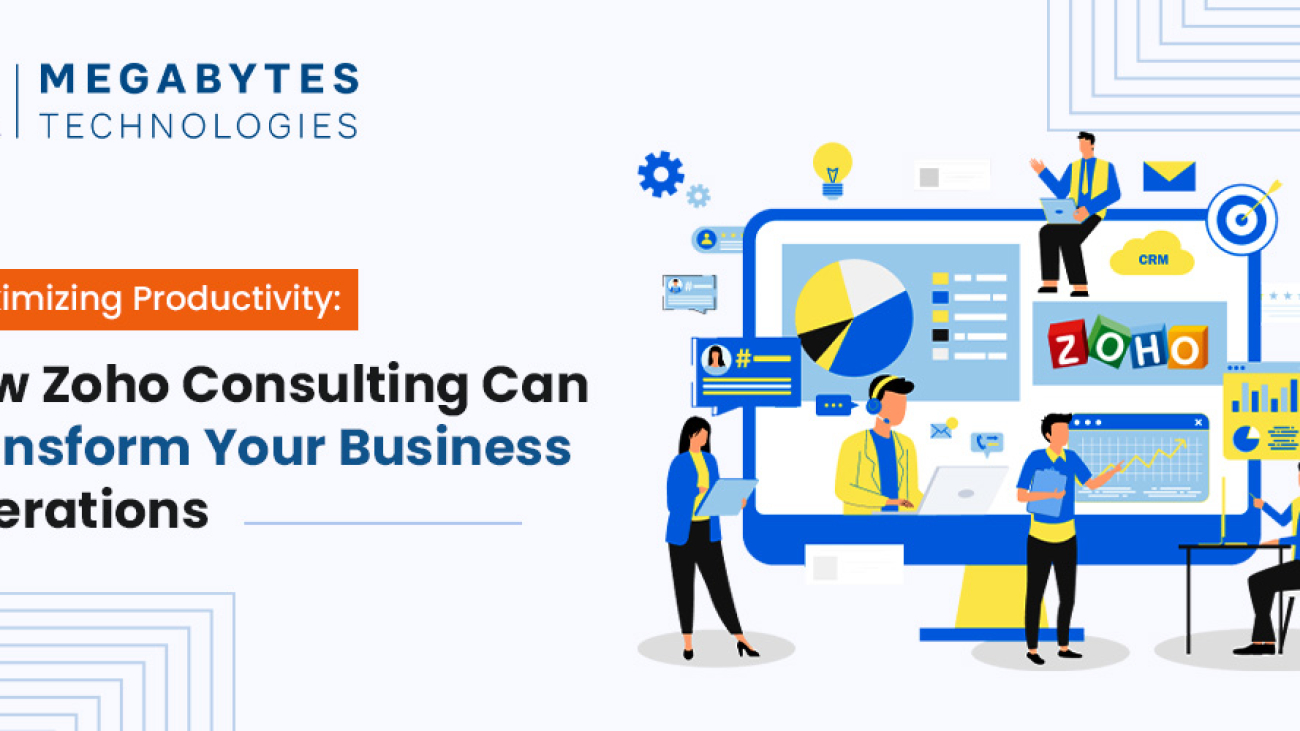
Maximizing Productivity: How Zoho Consulting Can Transform Your Business Operations?

How Zoho Consulting can Transform your Business Operations

In today’s fast-paced business world, staying ahead of the competition means leveraging technology to streamline operations and increase productivity. As businesses grow, the need for an efficient and scalable system becomes crucial. Zoho, a robust suite of applications, has become the go-to solution for many businesses looking to improve their operational workflows and achieve sustainable growth. But implementing Zoho can be complex without the right guidance. That’s where Zoho consulting services come into play.

In this blog, we will explore how Zoho consulting enhance productivity, and drive growth for your business. We will delve into key Zoho productivity tips, compare Zoho with Salesforce, and discuss the importance of CRM consulting for businesses looking to make the most of these tools.

Why Zoho Consulting Services Matter for Your Business

When it comes to managing business processes, the right tools can make all the difference. Zoho offers a wide range of applications that cover everything from CRM (Customer Relationship Management) to HR, finance, and marketing automation. But simply purchasing a Zoho subscription is not enough to unlock its full potential. Professional Zoho consulting services can help businesses integrate Zoho solutions into their existing workflows seamlessly, ensuring maximum efficiency.

The Benefits of Zoho Consulting

Expert Guidance: Zoho consultants have the knowledge and experience to recommend the best Zoho solutions tailored to your specific business needs. They will guide you through the entire process, from setup to optimization, ensuring you get the most value from your investment.

Customized Solutions: Every business is unique, and so are its needs. Zoho consultants work closely with you to understand your processes and customize the system to fit your business model. This ensures smoother workflows, better data management, and improved decision-making.

Streamlined Operations: Zoho can integrate various functions within your organization, allowing for real-time collaboration across departments. A Zoho consultant will ensure that you use Zoho tools in a way that eliminates bottlenecks and improves the flow of information.

Improved Productivity: By automating tasks and providing insightful analytics, Zoho can free up valuable time for your employees. A consultant will ensure that your business uses Zoho to automate repetitive tasks, improve lead management, and enhance communication.

Better ROI: Zoho is a cost-effective solution for businesses, and professional consulting ensures you get the best return on your investment by optimizing the platform for your specific needs.

How Zoho Improves Productivity

When it comes to boosting productivity, Zoho offers a comprehensive set of features that businesses can leverage. Whether you’re looking to automate marketing campaigns or manage customer relationships more effectively, Zoho provides the tools you need to scale.

Zoho CRM: The Heart of Business Growth

Zoho CRM is one of the most powerful tools in the Zoho suite. It helps businesses manage customer relationships, automate sales workflows, and generate insights into customer behavior. With Zoho CRM, your team can track leads, manage follow-ups, and close deals faster. Zoho consultants can help set up your CRM to fit your unique business needs and ensure seamless integration with other tools.

Key Features of Zoho CRM:

  • Sales Automation: Automate routine sales tasks and focus on high-value activities.
  • Lead Management: Capture, track, and nurture leads more effectively.
  • Analytics and Reports: Gain valuable insights into sales performance, customer behavior, and team productivity.
  • Customization: Tailor the CRM to fit your business processes and workflows.

By optimizing Zoho CRM, you can ensure your sales team is working efficiently, converting more leads, and closing deals faster.

Zoho Analytics: Data-Driven Decision Making

Zoho Analytics is a powerful business intelligence tool that allows you to visualize your data and make data-driven decisions. By integrating Zoho Analytics into your workflows, you can analyze key performance metrics and spot trends that can help you improve your operations.

Zoho consultants can help set up custom dashboards and reports that are relevant to your business, allowing you to monitor productivity in real time. Whether it’s tracking sales performance, project timelines, or customer engagement, Zoho Analytics provides a comprehensive view of your business’s performance.

Zoho Marketing Automation: Automating Lead Generation

Zoho’s marketing automation tools can be a game-changer for businesses looking to scale. With Zoho Campaigns, Zoho Social, and Zoho Marketing Automation businesses can automate email marketing, social media campaigns, and more. Zoho consultants can help you implement marketing automation strategies that target the right audience and drive more conversions.

Automated workflows reduce manual effort and ensure that your team is spending more time on strategic initiatives. By using Zoho’s marketing tools, you can track the effectiveness of your campaigns and adjust in real-time, ensuring you stay ahead of the competition.

Zoho vs. Salesforce: Which is Right for Your Business?

When considering CRM solutions, businesses often face the decision between Zoho and Salesforce. Both platforms offer robust tools, but they cater to different needs.

  • Zoho CRM: Best suited for small to mid-sized businesses looking for an affordable yet powerful CRM solution with extensive customization options.
  • Salesforce CRM: Often the choice for large enterprises needing highly advanced features and integrations, but at a higher cost.

A Zoho consultant can guide you in making the right decision based on your business size, budget, and specific needs. For many businesses, Zoho CRM offers more flexibility and cost-effectiveness, making it an attractive option.

CRM Consulting for Businesses: Unlocking Zoho’s Full Potential

The key to getting the most out of Zoho is working with an experienced consultant who understands the nuances of the platform. CRM consulting services help businesses not only implement Zoho but also optimize it for long-term success.

The Importance of CRM Consulting

  • Personalized Strategy: Consultants create a CRM strategy that aligns with your business goals and ensures maximum productivity.
  • Ongoing Support: Zoho consultants provide continuous support, ensuring that your system stays up-to-date and optimized.
  • Advanced Integrations: Consultants help integrate Zoho with other business tools, creating a seamless workflow that enhances productivity.

By working with a CRM consultant, you can ensure that Zoho becomes a central part of your business strategy, driving efficiency and growth.

How to Maximize Productivity with Zoho Consulting

To make the most of Zoho’s capabilities, it’s essential to follow best practices for implementation. Here are a few tips for maximizing productivity with Zoho:

  1. Define Clear Objectives: Before implementation, outline what you want to achieve with Zoho. Whether it’s improving lead generation or automating customer support, clear goals will guide the configuration process.
  2. Invest in Training: Zoho offers powerful features, but your team needs to know how to use them effectively. Zoho consultants can provide training to ensure your team is fully equipped to use the platform.
  3. Optimize Processes: Regularly assess and improve your workflows. Zoho allows you to customize almost every aspect of the platform, so take advantage of this flexibility to optimize your processes over time.
  4. Measure Success: Use Zoho’s built-in analytics tools to measure the success of your implementation and identify areas for improvement.

Conclusion: Get Started with Zoho Consulting Today

In conclusion, Zoho is a powerful tool that can significantly improve productivity and streamline your business operations. However, to unlock its full potential, working with an expert Zoho consultant is crucial. At Megabytes Technologies, we specialize in providing tailored Zoho consulting services to help businesses like yours thrive.

If you’re ready to take your business to the next level with Zoho, contact us today for a free consultation. Our team of experts will work closely with you to implement Zoho solutions that drive efficiency and growth.

Contact Megabytes Technologies for Zoho Consulting Services

Do's & Don'ts of Salesforce Implementation

Do’s and Don’ts of Salesforce Implementation for Growing Businesses

As a growing business, implementing Salesforce can be a game-changer. It empowers you to streamline operations, enhance customer engagement, and drive growth. However, a successful salesforce implementation requires careful planning and execution. Mistakes can lead to inefficiencies, wasted resources, and missed opportunities.

To help you avoid these pitfalls, we’ve put together a checklist-style guide covering the essential do’s and don’ts of Salesforce implementation for businesses like yours.

Introduction to Salesforce Implementation

Salesforce is more than just a CRM—it’s a comprehensive platform that can be customized to suit the unique needs of any business. From managing customer relationships to automating workflows, its features are designed to drive efficiency and profitability. Yet, the complexity of Salesforce requires a strategic approach to ensure its benefits are fully realized.

Here’s a step-by-step guide on what to do—and what to avoid—when implementing Salesforce in your business.

Do’s of Salesforce Implementation

1. Define Clear Goals and Objectives

Why It’s Important: Without clear goals, your Salesforce implementation can lack focus and direction.

  • Begin by identifying specific challenges Salesforce should solve, such as inefficiencies in lead management or customer support.
  • Define measurable objectives like increasing lead-to-customer conversion rates or reducing response times by a certain percentage.
  • Align these goals with your overall business strategy to ensure Salesforce supports your growth vision effectively.

2. Invest in Expert Guidance

Why It’s Important: Expert consulting ensures a streamlined, cost-effective implementation.

  • Partner with certified Salesforce consultants who understand the nuances of your industry.
  • These experts can guide you through best practices, help you avoid common pitfalls, and create tailored solutions for your business challenges.
  • A good consultant not only provides technical expertise but also acts as a strategic advisor, ensuring long-term success.

Learn more about Salesforce consulting for businesses.

3. Customize Thoughtfully

Why It’s Important: Over-customization can make your CRM unwieldy and difficult to use.

  • Leverage Salesforce’s industry-specific solutions to minimize unnecessary customizations. For example, Salesforce for Healthcare includes pre-built templates and processes tailored to medical practices.
  • Customize only those features that directly impact your operations, ensuring a balance between functionality and simplicity.
  • Regularly review customizations to ensure they remain relevant and effective as your business evolves.

4. Ensure Data Quality

Why It’s Important: Clean and accurate data is the backbone of any successful CRM system.

  • Conduct a thorough audit of your existing data to remove duplicates, outdated information, or inaccuracies.
  • Use standardized formats and validation rules to maintain consistency.
  • Employ tools like Salesforce Data Loader or third-party integrations to simplify the migration process and minimize errors.

5. Train Your Team

Why It’s Important: A well-trained team is essential for high user adoption and effective CRM utilization.

  • Develop a comprehensive training program that includes hands-on sessions, tutorials, and access to Salesforce Trailhead.
  • Identify internal champions who can provide peer support and promote user engagement.
  • Regularly update training to cover new features and evolving best practices.

6. Start Small, Scale Gradually

Why It’s Important: Rolling out Salesforce in phases reduces risks and allows for iterative improvements.

  • Launch a pilot project in a single department or for a specific use case, such as sales pipeline management.
  • Use feedback from this initial phase to refine workflows, configurations, and training materials.
  • Gradually expand the rollout to other departments, ensuring each team is well-prepared for the transition.

Don’ts of Salesforce Implementation

1. Don’t Skip the Planning Phase

Why It’s a Mistake: Diving into implementation without a plan can lead to confusion and inefficiency.

  • Develop a comprehensive roadmap outlining timelines, responsibilities, and milestones.
  • Involve key stakeholders to align priorities and objectives.

2. Don’t Underestimate Data Migration Challenges

Why It’s a Mistake: Data migration errors can disrupt operations and lead to loss of critical information.

  • Test migration processes extensively to ensure accuracy and reliability.
  • Use Salesforce’s built-in tools, like Data Loader, to facilitate smoother transitions and reduce risks.

3. Don’t Overlook User Feedback

Why It’s a Mistake: Ignoring user input can result in a system that doesn’t meet employee needs or business goals.

  • Gather feedback during testing phases to understand usability issues.
  • Make necessary adjustments to improve functionality and ensure high user satisfaction.

4. Don’t Neglect Post-Implementation Support

Why It’s a Mistake: The journey doesn’t end with deployment.

  • Provide ongoing support for troubleshooting and updates to keep the system running smoothly.
  • Monitor user adoption and CRM usage metrics to identify areas for improvement and training opportunities.

5. Don’t Ignore Scalability

Why It’s a Mistake: Implementing a solution that doesn’t scale with your business can lead to future bottlenecks.

  • Choose features and packages that support long-term growth and adaptability.
  • Plan for future integrations and system expansions to ensure Salesforce continues to meet evolving business needs.

Key Salesforce Features for 2025

Salesforce continues to evolve, offering cutting-edge tools to meet modern business needs. Here are some features that can revolutionize your operations:

1. Einstein AI

Use Einstein AI’s predictive analytics to stay ahead by forecasting trends, identifying opportunities, and making data-driven decisions that drive business success.

2. Lightning Flow

Streamline and automate your workflows with Salesforce Lightning Flow, a tool designed to enhance accuracy, save precious time, and elevate team productivity. By automating repetitive tasks, you can focus on strategic goals and ensure seamless collaboration across departments, all while reducing costly errors.

3. AppExchange Solutions

Salesforce’s AppExchange offers a rich repository of pre-built applications, meticulously designed to cater to industry-specific needs. These apps not only enhance your CRM’s capabilities but also accelerate implementation by providing ready-to-use solutions. Whether you operate in retail, healthcare, finance, or manufacturing, AppExchange enables you to integrate seamlessly with tools tailored to your workflow.

By utilizing these specialized apps, businesses can streamline operations, reduce customization efforts, and achieve faster time-to-value. Explore this dynamic marketplace to find innovative solutions that align perfectly with your industry requirements.

Explore Salesforce features for 2025.

Conclusion

Implementing Salesforce effectively is a journey that requires strategic planning, expert guidance, and ongoing support. By following these do’s and don’ts, you can avoid common pitfalls and ensure a seamless transition to this powerful CRM platform.

Ready to get started?

Contact Megabytes for expert Salesforce consulting and implementation services tailored to your business needs. Let’s work together to unlock the full potential of Salesforce for your business.

Customizing Salesforce for Industry Specific Needs

Customizing Salesforce for Industry-Specific Needs: A Game Changer for Businesses

Introduction: Customizing Salesforce For Business

In today’s competitive business landscape, one-size-fits-all solutions rarely meet the diverse needs of industries like healthcare, real estate, retail, and manufacturing. That’s where Salesforce customization becomes a game-changer. Salesforce, a leader in CRM solutions, empowers businesses by offering tailored functionalities that address specific industry challenges, driving efficiency, and fostering unparalleled growth.

This blog explores how Salesforce features can revolutionize your business, with insights into its features, strategies, and benefits for industry-specific needs.

Why Customization Matters in a Competitive World

1. The Unique Needs of Each Industry

Every industry has distinct operational workflows, regulatory requirements, and customer engagement strategies. For example:

  • Healthcare: Patient data management and compliance with HIPAA regulations.
  • Real Estate: Lead tracking and personalized property recommendations.
  • Retail: Inventory management and omnichannel customer experiences.

Salesforce customization ensures your CRM system aligns perfectly with your business goals, making it an indispensable tool for growth.

2. Boosting Business Efficiency with Tailored Features

Customized Salesforce Implementation streamline processes, enhance collaboration, and automate repetitive tasks. Features like custom dashboards, automated workflows, and tailored reporting make decision-making faster and more data-driven.

Top Industry-Specific Customization Examples

1. Salesforce for Healthcare

  • Custom Patient Portals: Enable seamless appointment scheduling and communication.
  • Data Security Features: Meet stringent compliance standards with advanced encryption and auditing.
  • Integration with HealthTech: Sync with wearable devices for real-time health data updates.

2. Salesforce for Real Estate

  • Lead Prioritization Tools: Rank prospects based on interest and location.
  • Property Listing Integration: Sync properties with CRM for real-time updates.
  • Mobile App Customization: Empower agents with tools to access data on the go.

3. Salesforce for Retail

  • Omnichannel Experiences: Integrate online and in-store operations for a seamless customer journey.
  • Inventory Management: Track stock levels across multiple locations in real-time.
  • Personalized Marketing Campaigns: Use AI-driven analytics for targeted promotions.

Key Salesforce Features That Power Customization

  1. Einstein AI: Einstein AI driven insights can revolutionize your CRM better decision-making.
  2. AppExchange Ecosystem: Offers a marketplace for third-party integrations.
  3. Custom Objects and Fields: Tailor data storage and workflows to your industry.
  4. Advanced Reporting Tools: Build detailed reports to analyze industry-specific metrics.
  5. Automation and Workflows: Streamline repetitive tasks for greater efficiency.

How to Customize Salesforce for Your Industry

1. Identify Your Pain Points

Start by analyzing your industry-specific challenges. For instance, retail businesses may struggle with inventory management, while healthcare providers need secure data sharing.

2. Choose the Right Features

Tailor Salesforce features like workflows, dashboards, and mobile access based on your industry’s needs.

3. Collaborate with Salesforce Consulting Experts

Partnering with experienced Salesforce consultants ensures your customization aligns with your business goals and industry standards.

4. Test and Optimize

Continually test the customized features, gather feedback, and refine the CRM to keep pace with industry trends.

The Benefits of Industry-Specific Salesforce Customization

1. Enhanced Efficiency

Streamlined workflows save time and reduce manual effort.

2. Improved Customer Experience

Tailored solutions meet specific customer expectations, leading to higher satisfaction.

3. Scalable Solutions

As your business grows, Salesforce customization scales with it, accommodating new challenges and opportunities.

4. Increased ROI

Efficient operations and improved customer engagement translate to higher profitability.

Conclusion

Customizing Salesforce for industry-specific needs is no longer a luxury but a necessity in today’s competitive world. Whether you’re in healthcare, real estate, retail, or another industry, tailored Salesforce solutions can drive business growth, streamline operations, and enhance customer satisfaction.

Contact Megabytes Technologies today for expert Salesforce consulting services, implementation, and integration solutions to transform your business.