Expert Zoho CRM

Megabytes Technologies: Expert Zoho CRM Implementation & Support

Introduction: Why Zoho CRM Needs the Right Implementation Partner

In today’s competitive market, businesses need a powerful CRM solution to manage leads, sales pipelines, and customer relationships effectively. Zoho CRM is one of the most popular platforms for small and medium-sized businesses thanks to its affordability, scalability, and flexibility. 

However, to unlock the full potential of Zoho CRM, you need expert guidance. That’s where Megabytes Technologies comes in. With years of experience, Megabytes helps businesses implement, customize, and support Zoho CRM, ensuring smooth operations and maximum ROI. 

If you’re looking for a trusted partner for Zoho CRM implementation and support, this guide will show why Megabytes Technologies is the right choice.

Why Zoho CRM Matters for Your Business

Many businesses struggle with: 

  • Scattered lead data 
  • Inefficient follow-ups 
  • Poor visibility into sales pipelines 
  • Manual and repetitive tasks

Zoho CRM solves these problems by providing:

  • Centralized customer data 
  • Automation of tasks and follow-ups 
  • Real-time reporting and analytics 
  • Easy integration with tools like email, social media, and finance apps

With Zoho CRM, your teams can work smarter, close deals faster, and deliver a better customer experience.

Megabytes Technologies: Your Zoho CRM Experts

Megabytes Technologies specializes in helping SMEs and startups get the most out of Zoho CRM. Whether you’re starting fresh or looking to optimize your existing CRM, our services cover the entire journey.

Our Core Services

  1. Zoho CRM Implementation 
    • End-to-end setup tailored to your business needs. 
    • Migration of existing data from spreadsheets or other CRMs. 
    • Integration with essential apps like email, WhatsApp, and finance tools. 
    • Custom workflow setup to automate repetitive tasks. 
  2. Zoho CRM Customization 
    • Personalized dashboards and reports. 
    • Role-based access for teams. 
    • Industry-specific modules to match your processes.
  3.  Zoho CRM Support & Maintenance 
    • Ongoing technical support for troubleshooting. 
    • Regular updates and feature optimization. 
    • Training sessions to help your team get the most out of Zoho CRM.

Why Choose Megabytes for Zoho CRM Implementation & Support?

Here’s why businesses trust Megabytes Technologies: 

1. Proven Expertise 

With years of hands-on experience, we understand Zoho CRM’s capabilities inside and out. 

2. Tailored Solutions 

We don’t believe in one-size-fits-all. Every implementation is customized to your workflows, ensuring seamless adoption. 

3. Affordable for SMEs 

Our pricing is designed for startups and small businesses, making Zoho CRM accessible without breaking the bank. 

4. End-to-End Support 

From initial setup to scaling your CRM with advanced automation, we stay with you every step of the way. 

Benefits of Working with Megabytes Technologies

Partnering with us for Zoho CRM implementation and support delivers clear business results: 

  • Improved Lead Management – No more missed follow-ups or lead leakage. 
  • Streamlined Sales Processes – Track deals from start to finish in one place. 
  • Faster Team Collaboration – Unified platform for sales, marketing, and support. 
  • Better Data-Driven Decisions – Use real-time analytics to grow smarter. 
  • Scalable Systems – Grow your CRM as your business expands

How Zoho CRM Integrations Supercharge Your Business

Zoho CRM becomes even more powerful when integrated with other tools:

  • Email and Communication: Gmail, Outlook, WhatsApp 
  • Marketing Automation: Zoho Campaigns, Mailchimp 
  • Finance Apps: Zoho Books, QuickBooks 
  • Customer Support: Zoho Desk, Zendesk 

Megabytes Technologies ensures seamless integration, so all your business data flows smoothly between systems. 

Success Story: Growing a Startup with Zoho CRM 

A SaaS startup approached Megabytes struggling with disorganized lead data and inconsistent follow-ups. Within 30 days of implementing Zoho CRM

  • Leads were centralized and automatically assigned to the right reps. 
  • Follow-up reminders and email automation increased response speed by 50%
  • Sales reporting became accurate and easy to understand.

The result? The startup closed 35% more deals in just three months, proving the value of proper CRM implementation. 

Conclusion: Start Your Zoho CRM Journey Today

Zoho CRM is a powerful tool, but only when implemented correctly. With Megabytes Technologies, you get:

  • Expert guidance 
  • Customized solutions 
  • Ongoing support

Whether you’re a startup, SME, or growing business, we’ll help you streamline operations, boost sales, and delight customers with Zoho CRM. 

Don’t let CRM complexity hold you back — partner with Megabytes Technologies today!
BigFive CRM vs Other CRMs

Big Five CRM vs Other CRMs: The Best Choice for Startups and Small Businesses

Introduction: Choosing the Right CRM for Growth

For startups and small businesses, every customer interaction matters. A Customer Relationship Management (CRM) system helps manage leads, track sales, and build strong customer relationships. 

The challenge? Many CRMs are too expensive, overly complex, or built for large enterprises. They simply don’t fit the fast-moving needs of small, agile teams. 

Big Five CRM was built to change that — a simple, affordable, and powerful CRM designed specifically for SMEs, startups, and growing businesses, helping them manage growth efficiently without the complexity or high costs of other CRMs. 

Why Other CRMs Fall Short for Small Businesses

While other CRMs may have a long list of features, they often come with challenges that startups and SMEs face daily, such as:

1. High Costs

  • Expensive subscription plans 
  • Extra fees for additional users or automation tools 
  • Hidden upgrade and maintenance charges 

Example: A small team of five users may end up paying hundreds of dollars monthly just to access basic CRM features.

2. Complicated Setup and Training 

  • Some CRMs require weeks or even months to fully set up 
  • Complex configuration processes 
  • Steep learning curve, often requiring external consultants or specialists

3. Too Many Features You Don’t Need

  • Filled with enterprise-level features irrelevant to small teams 
  • Cluttered dashboards and confusing navigation slow down adoption

4. Limited Flexibility 

  • Difficult to adapt to unique small business Decision Engine 
  • Customization options may require advanced technical skills or costly add-ons

Why Big Five CRM is Built for Startups and SMEs

Big Five CRM focuses on simplicity, affordability, and automation, delivering everything a small business needs to grow without unnecessary complexity. 

Here’s how Big Five CRM stands out when compared to other CRMs:

1. Affordable Pricing Without Hidden Fees

Big Five CRM offers budget-friendly pricing that fits small business needs. 

  • Clear, transparent plans 
  • No surprise costs or paywalls for essential tools 
  • Scales as your business grows

Result: Small teams get enterprise-level capabilities without draining their budget.

2. Quick and Simple Setup 

Get started in minutes, not weeks. 

  • Easy-to-use interface 
  • No complicated setup or external support needed 
  • Start tracking leads and managing customer relationships immediately. 

Result: Save time and avoid delays that slow down sales and growth.

3. Essential Features Without the Clutter 

Big Five CRM delivers only the tools growing businesses truly need, including:

  • Lead and contact management 
  • Sales pipeline tracking 
  • Follow-up reminders 
  • Workflow automation 
  • Analytics and reporting 

Highlight: The powerful Decision Engine, which automates actions based on customer behavior, helping businesses stay proactive and responsive.

4. Smart Automation to Save Time 

Big Five CRM includes built-in automation that helps small businesses stay efficient: 

  • Automatic lead assignments to the right team members 
  • Follow-up email alerts and task creation 
  • Time-based triggers to prevent leads from slipping through the cracks 

Result: Teams spend more time selling and less time on repetitive manual tasks

5. Scales with Your Business 

As your business grows, Big Five CRM grows with you. 

  • Add users and features easily as your team expands 
  • Adjust Decision Engine without technical complexity 
  • Perfect for businesses ready to scale without switching systems 

Big Five CRM vs Other CRMs: Quick Comparison

Feature Big Five CRM Other CRMs 
Pricing Affordable, no hidden costs Expensive, extra charges 
Setup Time Ready in minutes Weeks or months 
Ease of Use Intuitive and simple Complicated, requires training 
Automation Built-in, included in plans Limited or requires add-ons 
SME Focus Built for startups and small teams Built for enterprises 
Flexibility Easy to customize and scale Often rigid and complex 

Real-World Example: Startup Success with Big Five CRM

A growing SaaS startup was struggling with manual spreadsheets and found other CRMs either too costly or too complex. 

After switching to Big Five CRM, they: 

  • Reduced missed follow-ups by 80% 
  • Increased conversions by 30% within three months 
  • Saved 40% in CRM costs compared to their previous system

Conclusion

For startups and small businesses, every minute and dollar counts. While other CRMs cater to enterprise-level needs, they often overwhelm small teams with complexity and high costs

Big Five CRM provides a better way — delivering the perfect balance of simplicity, affordability, and powerful automation. It’s the CRM designed to help small businesses grow quickly and efficiently without unnecessary hurdles.

Powering Growth with Big Five CRM (1)

Megabytes Technologies: Powering Growth with Big Five CRM

Introduction: Driving Growth with Big Five CRM

In today’s competitive digital marketplace, smart decision-making is critical to growth. Megabytes Technologies, a leader in business solutions, empowers organizations with Big Five CRM, a cutting-edge tool designed to streamline operations, enhance customer engagement, and accelerate revenue. 

What makes Big Five CRM unique is its Decision Engine, which helps businesses take data-driven actions instantly. With this feature, companies can identify the right opportunities, improve sales efficiency, and deliver exceptional customer experiences.

Why Megabytes Technologies Chooses Big Five CRM

Megabytes Technologies selected BigFive CRM for its ability to integrate automation, analytics, and advanced decision-making in one platform.

Key Advantages:

  • Decision Engine for smarter actions 
  • Streamlined sales pipeline management 
  • Workflow automation to reduce manual tasks 
  • Real-time reporting and forecasting 
  • Scalable CRM solution for growing businesses

By using these features, businesses improve performance, minimize lead leakage, and achieve sustainable growth.

Key Features of Big Five CRM That Power Growth

Here’s how Big Five CRM drives success for Megabytes Technologies and its clients:

1. Decision Engine for Smart Business Actions

The Decision Engine is Big Five CRM’s standout feature. It uses real-time data and business rules to:

  • Automatically assign leads to the right sales reps 
  • Trigger follow-up actions based on customer behavior 
  • Prioritize high-value opportunities 
  • Optimize marketing campaigns using insights

Example:

If a lead’s engagement score drops, the Decision Engine can instantly create a follow-up task or send an automated re-engagement email — ensuring no opportunity is lost.

2. Streamlined Lead Management

BigFive CRM simplifies lead capture and nurturing:

  • Capture leads from websites, ads, and campaigns 
  • Assign leads automatically based on rules 
  • Prevent lead leakage with tracking and reminders

This ensures sales teams focus on the right leads at the right time.

3. Sales Pipeline Visibility

With BigFive CRM, businesses gain real-time insight into their sales pipeline:

  • Track every opportunity from lead to close 
  • Identify bottlenecks early 
  • Forecast revenue with accuracy

4. Automated Follow-Up Reminders

Missed follow-ups can cost sales. BigFive CRM’s automation ensures:

  • Automatic reminders for every sales rep 
  • Follow-up tasks created instantly 
  • Better customer retention through timely engagement

5. Real-Time Analytics and Reports

BigFive CRM delivers custom dashboards and actionable insights:

  • Monitor sales performance 
  • Analyze customer behavior 
  • Make smarter business decisions with predictive analytics

How Megabytes Technologies Implements Big Five CRM

Megabytes Technologies uses a structured approach to deploy BigFive CRM for its clients:

  • Discovery: Identify business challenges and goals. 
  • Customization: Configure BigFive CRM’s Decision Engine, fields, and workflows. 
  • Training: Equip teams to use the CRM effectively. 
  • Ongoing Support: Provide updates, troubleshooting, and growth-focused enhancements. 

This ensures clients quickly see measurable improvements in sales performance and customer management.

Benefits of BigFive CRM for Businesses

Businesses that adopt BigFive CRM with Megabytes Technologies experience:

  • 40% increase in lead-to-sale conversion rates 
  • 30% faster sales cycles 
  • Reduced manual errors with automation 
  • Improved customer engagement and retention 
  • Clear visibility into sales performance

Real-World Success: Driving Growth by 50%

A retail client working with Megabytes Technologies faced challenges with untracked leads and missed follow-ups. After integrating BigFive CRM’s Decision Engine:

  • Lead response time improved by 60% 
  • Sales grew by 50% in six months 
  • Customer satisfaction scores increased by 35%

Conclusion: Smarter Decisions, Faster Growth

The future of business growth lies in data-driven decision-making. With Megabytes Technologies and BigFive CRM, businesses gain a competitive edge through automation, advanced analytics, and intelligent workflows. 

By leveraging BigFive CRM’s Decision Engine, companies can streamline operations, close deals faster, and deliver exceptional customer experiences — all while driving sustainable growth. 

Boost B2B MBT Poster (1)

Boost B2B Conversions with Salesforce Lead Scoring and Automation

In B2B marketing, not every lead is created equal. Your sales team shouldn’t be wasting time chasing cold leads or guessing who to contact next. That’s where Salesforce lead scoring and sales automation step in. 

By combining data-driven lead scoring with powerful automation tools inside Salesforce, businesses can significantly improve lead prioritization, accelerate follow-ups, and close deals faster. 

In this blog, we’ll dive into how you can boost B2B conversions using Salesforce, and why lead scoring combined with automation is a game changer for modern sales teams. 

What is Lead Scoring in Salesforce? 

Lead scoring is the process of assigning values to leads based on their behavior, demographics, and engagement levels. In Salesforce, these scores help sales reps identify which leads are hot and which ones need more nurturing. 

Salesforce Lead Scoring Criteria Often Includes: 

  • Job title or company size (fit) 
  • Website visits or email opens (interest) 
  • Form submissions or downloads (intent) 
  • Source of the lead (organic, paid, referral)

Once scored, leads can be segmented and prioritized, enabling smarter sales outreach and better alignment between marketing and sales teams. 

Why Lead Scoring is Critical for B2B Sales 

In B2B sales cycles—which are typically longer and more complex—targeting the right leads at the right time is essential. Without lead scoring, sales teams waste time on unqualified or unready leads, resulting in poor conversion rates and low ROI. 

Key Benefits of Salesforce Lead Scoring:

  • Focus on leads most likely to convert 
  • Reduce time spent on unqualified prospects 
  • Align marketing-qualified leads (MQLs) with sales-ready leads (SQLs) 
  • Improve productivity and pipeline efficiency

What is Salesforce Automation? 

Salesforce automation refers to tools and workflows that automate repetitive sales and marketing tasks, such as sending emails, creating tasks, updating records, or nurturing leads.

Core Salesforce Automation Tools:

  • Process Builder (being replaced by Flow) 
  • Salesforce Flow (the new low-code automation standard) 
  • Einstein Lead Scoring (AI-based scoring) 
  • Marketing Cloud / Pardot (now Account Engagement) 

These tools allow you to scale outreach, personalize customer journeys, and ensure no lead is left behind.

How to Combine Lead Scoring + Automation for B2B Success

Step 1: Define Your Ideal Customer Profile (ICP)

Start by analyzing your best customers. Use attributes like:

  • Industry 
  • Job title 
  • Company revenue 
  • Geography 
  • Deal size 

Create custom fields in Salesforce to track these metrics, and assign point values to them. 

Step 2: Track Engagement Data 

Integrate Salesforce with Marketing Cloud, Pardot, or website tracking tools to capture:

  • Email opens 
  • Link clicks 
  • Content downloads 
  • Page views 

Use these interactions to determine how engaged a lead is with your brand.

Step 3: Build Lead Scoring Rules

Use Salesforce Einstein Lead Scoring or custom lead scoring formulas to assign numeric values.

Lead Behavior Score 
Opens an email +5 
Downloads whitepaper +15 
Requests a demo +25 
Visits pricing page +10 
Job title: C-Level +20 
Industry match +10 

Set a threshold score (e.g., 60 points) at which leads become Sales Qualified (SQLs) and get handed to sales.

Step 4: Automate the Lead Journey with Salesforce Flow

Once a lead hits the threshold, Salesforce Flow can: 

  • Create a task for a sales rep 
  • Send a personalized follow-up email 
  • Notify the sales manager 
  • Update lead status to “Sales Qualified” 

For lower-scoring leads, trigger automated nurture campaigns via Pardot or Marketing Cloud to build more interest.

Step 5: Analyze & Refine

Salesforce dashboards allow you to track conversion rates by lead score and measure sales effectiveness. 

Review metrics like: 

  • Average time to convert high-scoring leads 
  • Response rate by lead segment 
  • Close rate based on lead origin 

This helps refine your scoring model and improve automation workflows over time.

Real Business Impact: Why It Works

Businesses that implement Salesforce lead scoring and automation see measurable improvements, including: 

  • 35% faster sales response time 
  • 30% increase in marketing-to-sales conversions 
  • 40% improvement in lead engagement rates 
  • Better alignment between marketing and sales

“Salesforce’s automation and lead scoring transformed our B2B outreach. Our reps know exactly who to call and when, which has doubled our close rate.” 
— Director of Sales, SaaS B2B Company 

Best Practices for B2B Lead Scoring and Automation in Salesforce

  • Keep scoring simple at first; evolve with data 
  • Align scoring rules with your actual buyer journey 
  • Include both fit (demographics) and intent (behavior) 
  • Automate based on lead scores, not assumptions 
  • Regularly review and optimize your scoring model

Conclusion: Scale Smarter with Salesforce 

Lead scoring and automation are not just for enterprise giants. With Salesforce, businesses of all sizes can implement smart, scalable solutions to convert more leads into customers. 

By focusing on quality over quantity, and automating repetitive work, Salesforce empowers your team to do what they do best: build relationships and close deals. 

Ready to Maximize B2B Conversions?

Get started with Salesforce lead scoring and automation and watch your pipeline become more predictable and profitable.

guide to Salesforce manufacturing cloud

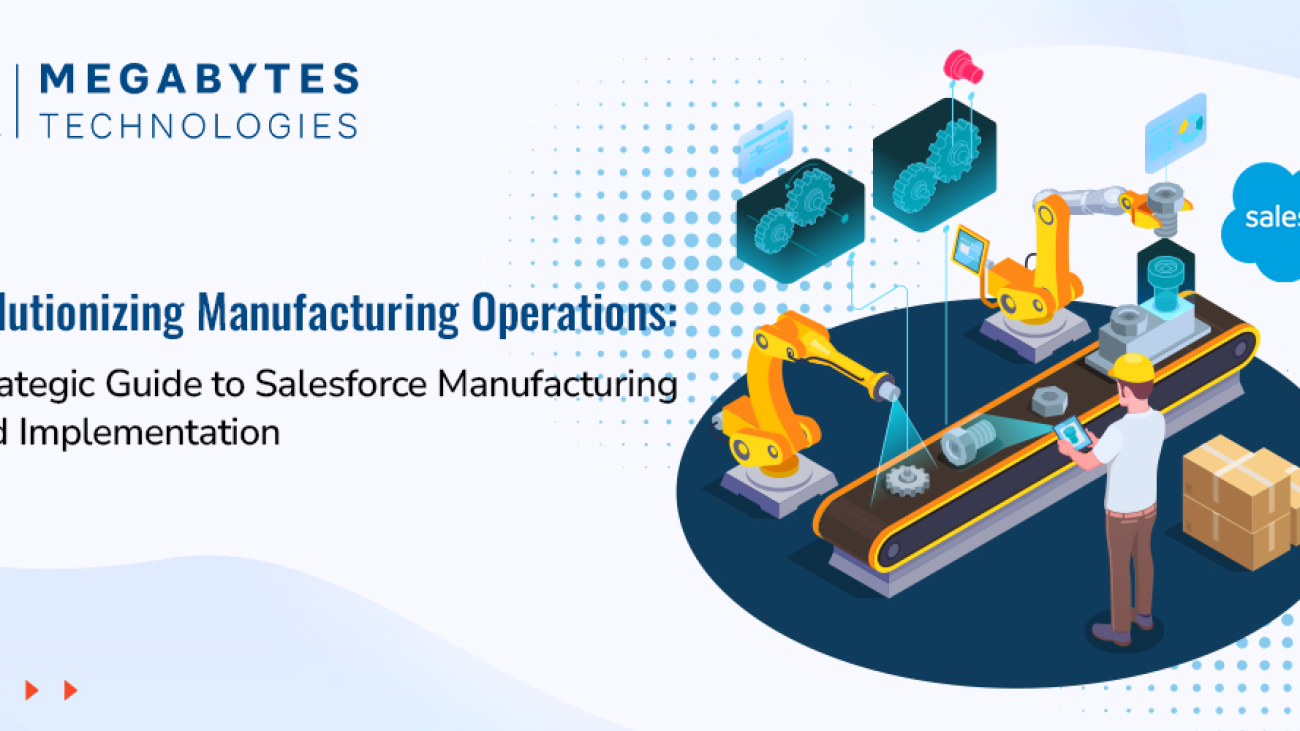
Revolutionizing Manufacturing Operations: A Strategic Guide to Salesforce Manufacturing Cloud Implementation

The manufacturing sector is at a pivotal moment in the era of digital transformation. Rapidly changing market dynamics, supply chain complexities, and heightened customer expectations have made it essential for manufacturers to adopt innovative digital solutions. Salesforce Manufacturing Cloud emerges as a powerful tool, purpose-built to meet these challenges and propel industrial operations into the future.

This guide provides an in-depth look at how Salesforce Cloud revolutionizes manufacturing operations, offering actionable insights into its implementation, features, and real-world benefits.

A Complete Guide to Salesforce Manufacturing Cloud Implementation

The manufacturing niche faces a distinct set of challenges that traditional CRM systems are not equipped to handle. Salesforce Manufacturing Cloud bridges these gaps by delivering industry-specific functionalities that align sales, production, and supply chain processes, enabling manufacturers to achieve greater efficiency, visibility, and customer satisfaction.

Unique Challenges Faced by the Manufacturing Sector

  • Disconnected Sales and Operations Planning: Lack of alignment leads to inefficiencies and missed opportunities.
  • Inaccurate Demand Forecasting: Results in overproduction or underproduction, increasing costs and customer dissatisfaction.
  • Limited Supply Chain Visibility: Hampers the ability to respond quickly to market fluctuations.
  • Complex Account Management: Managing diverse client relationships and agreements becomes time-consuming and error-prone.
  • Inefficient Partner Collaboration: Creates bottlenecks and delays in the production and delivery processes.

Salesforce Manufacturing Cloud directly addresses these challenges with tailored solutions that integrate seamlessly into manufacturing workflows.

Essential Components of Manufacturing Cloud Implementation

To maximize the impact of Salesforce Manufacturing Cloud, understanding its key components is crucial. Each feature is designed to enhance specific areas of manufacturing operations.

Account-Based Forecasting

Manufacturing Cloud’s account-based forecasting is a game-changer for sales and production alignment. It enables businesses to create accurate predictions by leveraging historical data, market trends, and real-time insights.

Key Benefits:

  • Aligns sales agreements with production capabilities.
  • Optimizes inventory levels and reduces waste.
  • Enhances data-driven decision-making processes.
  • Lowers operational costs by improving resource utilization.

Sales Agreement Management

This feature simplifies the management of complex sales agreements, ensuring clarity and efficiency.

Key Benefits:

  • Centralized platform for managing contracts.
  • Real-time tracking of committed vs. delivered quantities.
  • Automated processes for contract renewals.
  • Detailed variance analysis and actionable reporting.

Production Planning Integration

Seamlessly linking production plans with customer demand is vital for operational success. Manufacturing Cloud enables this integration with ease.

Key Benefits:

  • Synchronizes sales forecasts with production schedules.
  • Improves capacity utilization visibility in real time.
  • Allows dynamic adjustments to production plans.
  • Enhances resource allocation and workforce planning.

Implementation Roadmap: Your Path to Success

A well-structured implementation roadmap ensures the successful deployment and adoption of Salesforce Manufacturing Cloud. Below are the critical phases to guide your journey.

Phase 1: Assessment and Planning

  • Conduct a comprehensive analysis of current business processes.
  • Define specific manufacturing goals and requirements.
  • Identify integration points with existing ERP and legacy systems.
  • Establish KPIs and success metrics to measure ROI.

Phase 2: Technical Setup and Configuration

  • Configure account-based forecasting to meet unique business needs.
  • Set up sales agreement management for streamlined workflows.
  • Integrate production planning with real-time demand insights.
  • Develop data migration protocols to ensure data accuracy.

Phase 3: Integration and Testing

  • Integrate the Manufacturing Cloud with ERP, MES, and other legacy systems.
  • Perform rigorous user acceptance testing (UAT) to ensure functionality.
  • Validate data accuracy and system workflows.
  • Test the system’s performance under various load conditions.

Phase 4: Training and Deployment

  • Conduct targeted training sessions for employees and stakeholders.
  • Develop easy-to-use documentation and support materials.
  • Plan a phased rollout strategy to minimize disruptions.
  • Establish an ongoing support framework to address future needs.

Real-World Benefits and ROI

Manufacturers that have implemented Salesforce Manufacturing Cloud report measurable improvements across key metrics, underscoring the platform’s transformative potential.

Key Benefits:

  • 25% Increase in Forecast Accuracy: Enhanced demand planning and inventory optimization.
  • 30% Reduction in Planning Cycle Time: Faster decision-making and improved agility.
  • 20% Improvement in Customer Satisfaction: Better account management and personalized experiences.
  • 15% Decrease in Operational Costs: Streamlined processes and reduced waste.
  • 40% Better Visibility Across Operations: Real-time insights into the supply chain and production schedules.

Real-World Example: Success Story

A leading automotive parts manufacturer implemented Salesforce Manufacturing Cloud to bridge gaps between their sales and production teams. Within six months, they achieved:

  • 35% improvement in on-time deliveries.
  • 15% reduction in inventory carrying costs.
  • Enhanced collaboration between their global teams.

This demonstrates how Manufacturing Cloud directly addresses industry pain points, enabling businesses to thrive in competitive markets.

Best Practices for Optimal Implementation

Data Management

Ensuring high-quality data is the backbone of a successful Manufacturing Cloud implementation.

  • Regularly audit and clean data for consistency.
  • Establish strong data governance policies.
  • Automate data validation to minimize errors.
  • Use robust data analytics tools for actionable insights.

Change Management

Securing user adoption is critical for long-term success.

  • Secure executive sponsorship to drive the initiative.
  • Develop a communication plan to address employee concerns.
  • Conduct regular training sessions tailored to user needs.
  • Collect and act on user feedback to refine processes.

System Integration

Smooth integration with existing systems ensures seamless operations.

  • Prioritize critical integration points, such as ERP and supply chain systems.
  • Use robust APIs for real-time data synchronization.
  • Monitor system performance to identify and resolve issues proactively.
  • Regularly update systems to leverage new features and capabilities.

Future-Proofing Your Manufacturing Operations

As the manufacturing industry continues to evolve, Salesforce Manufacturing Cloud offers the flexibility to adapt and innovate.

  • Industry 4.0: Integration with IoT for smarter manufacturing.
  • AI-Driven Predictive Analytics: Enhanced decision-making capabilities.
  • Sustainable Practices: Support for eco-friendly production initiatives.
  • Enhanced Automation: Greater efficiency through advanced automation tools.

Manufacturers can leverage these trends to stay ahead of the curve and maintain a competitive edge in the market.

Take the Next Step in Your Digital Transformation Journey

Ready to elevate your manufacturing operations with Salesforce Manufacturing Cloud?

Partner with Megabytes Technologies for a seamless and impactful implementation. Our team of certified experts specializes in:

  • Assessing your current operations and pain points.
  • Crafting customized Salesforce strategies tailored to your unique needs.
  • Ensuring smooth deployment with minimal disruption.
  • Driving user adoption and maximizing ROI.

Role of Salesforce Consultants in Digital Transformation

The Role of Salesforce Consultants in Driving Digital Transformation for Businesses

In today’s fast-paced business landscape, companies must continuously evolve to meet customer expectations, optimize processes, and stay ahead of the competition. As businesses increasingly embrace digital-first strategies, the need for effective Customer Relationship Management (CRM) systems has never been greater. Salesforce, a leading CRM platform, offers powerful solutions that can transform a business’s approach to customer relationships, data management, and workflow automation. 

However, successfully implementing and optimizing Salesforce requires expert guidance, which is where Salesforce consultants come in. These professionals play a pivotal role in helping businesses adapt to a digital-first environment by leveraging Salesforce’s capabilities to streamline operations, drive growth, and enhance customer experiences.

The Role of Salesforce Consultants in Digital Transformation

1. Understanding Salesforce Consultants and Their Role

Salesforce consultants are professionals with specialized expertise in Salesforce’s suite of tools, solutions, and best practices. Their primary role is to guide businesses through the process of Salesforce implementation, customization, and optimization. 

Whether a company is adopting Salesforce for the first time or looking to improve their existing Salesforce setup, consultants offer invaluable support in ensuring the platform aligns with specific business goals. They help businesses navigate the complexities of CRM integration services, ensuring that the system works seamlessly with existing processes and software.

2. How Salesforce Consultants Enable Digital Transformation

Digital transformation involves adopting technology to radically improve business processes, customer interactions, and overall performance. Salesforce consultants facilitate this transformation by aligning Salesforce’s features with a company’s unique needs. 

From automating routine tasks to providing real-time customer insights, Salesforce empowers businesses to make data-driven decisions, enhance customer engagement, and increase efficiency.

A key aspect of the role of Salesforce consultants is helping businesses integrate Salesforce with other enterprise software. With their expertise in CRM integration services, consultants ensure that Salesforce is properly linked to marketing, sales, and service platforms, creating a unified ecosystem for data and process management.

3. The Benefits of Working with Salesforce Consultants

Salesforce consultants provide several benefits to businesses undergoing digital transformation:

  1. Tailored Solutions: Salesforce consultants offer customized Salesforce implementations that fit a company’s specific needs, ensuring that businesses get the most out of the platform.
  2. Streamlined Processes: Consultants help businesses automate workflows, reduce manual intervention, and eliminate inefficiencies, allowing for a smoother and more effective operation.
  3. Enhanced Customer Experience: With advanced analytics and reporting capabilities, Salesforce consultants enable businesses to better understand customer behavior, preferences, and needs, leading to improved customer service and engagement.
  4. Increased ROI: By optimizing Salesforce’s capabilities, consultants help businesses maximize their return on investment by using the platform to its full potential.
  5. Ongoing Support and Maintenance: Salesforce consultants don’t just implement Salesforce; they also provide continuous support and maintenance to ensure the system continues to evolve with the business and remains aligned with changing goals and technologies.

4. The Importance of Salesforce Integration Services

Salesforce integration is a critical aspect of digital transformation. For businesses with a complex tech stack, integrating Salesforce with other systems such as ERP software, accounting platforms, and marketing tools is essential. 

Salesforce consultants are experts in managing these integrations, ensuring that data flows seamlessly across platforms and that the company can operate efficiently without disruptions.

Successful Salesforce integration can lead to enhanced data accuracy, better communication across departments, and more actionable insights for decision-making. Additionally, a well-integrated Salesforce system ensures that all customer data is accessible in one place, which improves both the sales team’s productivity and customer satisfaction.

5. How Salesforce Features Drive Business Growth

Salesforce is packed with features that can accelerate business growth. Some of the most notable features that Salesforce consultants leverage include:

  • Salesforce Automation: Automates sales processes, reducing manual tasks and allowing the sales team to focus on high-value activities.
  • Analytics and Reporting: Provides actionable insights into customer behavior and business performance, which is crucial for data-driven decision-making.
  • Customer 360: Offers a unified view of every customer interaction, helping businesses personalize their communication and enhance customer experiences.
  • AI Integration (Salesforce Einstein): Leverages artificial intelligence to predict trends, recommend actions, and deliver personalized experiences to customers.

Salesforce consultants guide businesses in utilizing these features to improve sales, marketing, and customer service efforts, driving overall business growth and efficiency.

6. Best Practices for Implementing Salesforce

While Salesforce offers powerful tools, the success of implementation depends on following CRM best practices. Salesforce consultants help businesses establish these best practices from the start to ensure smooth adoption and long-term success. Some best practices include:

  • Clear Objective Setting: Establishing clear goals and expectations from Salesforce implementation helps consultants design a solution that delivers real value.
  • Data Migration: Ensuring that data is transferred accurately from legacy systems to Salesforce is crucial for maintaining data integrity.
  • User Training: Proper training ensures that employees can effectively use Salesforce, maximizing its benefits for the business.
  • Continuous Improvement: Salesforce is a flexible platform that can evolve over time. Consultants help businesses continuously improve their Salesforce setup based on changing needs and goals.

7. Why You Need a Salesforce Consultant for Your Business

While it’s possible for businesses to attempt Salesforce implementation on their own, working with a Salesforce consultant ensures that the process is done correctly the first time. Consultants bring years of experience, best practices, and technical expertise that allow businesses to avoid common pitfalls and implement Salesforce efficiently. They also help ensure that Salesforce is aligned with business goals and scalable for future growth.

By collaborating with a Salesforce consultant, businesses can not only achieve a successful Salesforce implementation but also unlock the full potential of the platform, leading to better customer relationships, streamlined operations, and enhanced business performance.

Conclusion

In conclusion, Salesforce consultants play a crucial role in helping businesses undergo digital transformation by leveraging Salesforce’s robust CRM capabilities. From implementation and integration to ongoing support and optimization, consultants ensure that businesses make the most of Salesforce to drive growth, efficiency, and customer satisfaction. 

If your business is looking to harness the power of Salesforce for digital transformation, contact Megabytes Technologies for expert Salesforce consulting services and a seamless Salesforce experience.

How Zoho Consulting Can Transform Your Business Operations

Maximizing Productivity: How Zoho Consulting Can Transform Your Business Operations?

How Zoho Consulting can Transform your Business Operations

In today’s fast-paced business world, staying ahead of the competition means leveraging technology to streamline operations and increase productivity. As businesses grow, the need for an efficient and scalable system becomes crucial. Zoho, a robust suite of applications, has become the go-to solution for many businesses looking to improve their operational workflows and achieve sustainable growth. But implementing Zoho can be complex without the right guidance. That’s where Zoho consulting services come into play.

In this blog, we will explore how Zoho consulting enhance productivity, and drive growth for your business. We will delve into key Zoho productivity tips, compare Zoho with Salesforce, and discuss the importance of CRM consulting for businesses looking to make the most of these tools.

Why Zoho Consulting Services Matter for Your Business

When it comes to managing business processes, the right tools can make all the difference. Zoho offers a wide range of applications that cover everything from CRM (Customer Relationship Management) to HR, finance, and marketing automation. But simply purchasing a Zoho subscription is not enough to unlock its full potential. Professional Zoho consulting services can help businesses integrate Zoho solutions into their existing workflows seamlessly, ensuring maximum efficiency.

The Benefits of Zoho Consulting

Expert Guidance: Zoho consultants have the knowledge and experience to recommend the best Zoho solutions tailored to your specific business needs. They will guide you through the entire process, from setup to optimization, ensuring you get the most value from your investment.

Customized Solutions: Every business is unique, and so are its needs. Zoho consultants work closely with you to understand your processes and customize the system to fit your business model. This ensures smoother workflows, better data management, and improved decision-making.

Streamlined Operations: Zoho can integrate various functions within your organization, allowing for real-time collaboration across departments. A Zoho consultant will ensure that you use Zoho tools in a way that eliminates bottlenecks and improves the flow of information.

Improved Productivity: By automating tasks and providing insightful analytics, Zoho can free up valuable time for your employees. A consultant will ensure that your business uses Zoho to automate repetitive tasks, improve lead management, and enhance communication.

Better ROI: Zoho is a cost-effective solution for businesses, and professional consulting ensures you get the best return on your investment by optimizing the platform for your specific needs.

How Zoho Improves Productivity

When it comes to boosting productivity, Zoho offers a comprehensive set of features that businesses can leverage. Whether you’re looking to automate marketing campaigns or manage customer relationships more effectively, Zoho provides the tools you need to scale.

Zoho CRM: The Heart of Business Growth

Zoho CRM is one of the most powerful tools in the Zoho suite. It helps businesses manage customer relationships, automate sales workflows, and generate insights into customer behavior. With Zoho CRM, your team can track leads, manage follow-ups, and close deals faster. Zoho consultants can help set up your CRM to fit your unique business needs and ensure seamless integration with other tools.

Key Features of Zoho CRM:

  • Sales Automation: Automate routine sales tasks and focus on high-value activities.
  • Lead Management: Capture, track, and nurture leads more effectively.
  • Analytics and Reports: Gain valuable insights into sales performance, customer behavior, and team productivity.
  • Customization: Tailor the CRM to fit your business processes and workflows.

By optimizing Zoho CRM, you can ensure your sales team is working efficiently, converting more leads, and closing deals faster.

Zoho Analytics: Data-Driven Decision Making

Zoho Analytics is a powerful business intelligence tool that allows you to visualize your data and make data-driven decisions. By integrating Zoho Analytics into your workflows, you can analyze key performance metrics and spot trends that can help you improve your operations.

Zoho consultants can help set up custom dashboards and reports that are relevant to your business, allowing you to monitor productivity in real time. Whether it’s tracking sales performance, project timelines, or customer engagement, Zoho Analytics provides a comprehensive view of your business’s performance.

Zoho Marketing Automation: Automating Lead Generation

Zoho’s marketing automation tools can be a game-changer for businesses looking to scale. With Zoho Campaigns, Zoho Social, and Zoho Marketing Automation businesses can automate email marketing, social media campaigns, and more. Zoho consultants can help you implement marketing automation strategies that target the right audience and drive more conversions.

Automated workflows reduce manual effort and ensure that your team is spending more time on strategic initiatives. By using Zoho’s marketing tools, you can track the effectiveness of your campaigns and adjust in real-time, ensuring you stay ahead of the competition.

Zoho vs. Salesforce: Which is Right for Your Business?

When considering CRM solutions, businesses often face the decision between Zoho and Salesforce. Both platforms offer robust tools, but they cater to different needs.

  • Zoho CRM: Best suited for small to mid-sized businesses looking for an affordable yet powerful CRM solution with extensive customization options.
  • Salesforce CRM: Often the choice for large enterprises needing highly advanced features and integrations, but at a higher cost.

A Zoho consultant can guide you in making the right decision based on your business size, budget, and specific needs. For many businesses, Zoho CRM offers more flexibility and cost-effectiveness, making it an attractive option.

CRM Consulting for Businesses: Unlocking Zoho’s Full Potential

The key to getting the most out of Zoho is working with an experienced consultant who understands the nuances of the platform. CRM consulting services help businesses not only implement Zoho but also optimize it for long-term success.

The Importance of CRM Consulting

  • Personalized Strategy: Consultants create a CRM strategy that aligns with your business goals and ensures maximum productivity.
  • Ongoing Support: Zoho consultants provide continuous support, ensuring that your system stays up-to-date and optimized.
  • Advanced Integrations: Consultants help integrate Zoho with other business tools, creating a seamless workflow that enhances productivity.

By working with a CRM consultant, you can ensure that Zoho becomes a central part of your business strategy, driving efficiency and growth.

How to Maximize Productivity with Zoho Consulting

To make the most of Zoho’s capabilities, it’s essential to follow best practices for implementation. Here are a few tips for maximizing productivity with Zoho:

  1. Define Clear Objectives: Before implementation, outline what you want to achieve with Zoho. Whether it’s improving lead generation or automating customer support, clear goals will guide the configuration process.
  2. Invest in Training: Zoho offers powerful features, but your team needs to know how to use them effectively. Zoho consultants can provide training to ensure your team is fully equipped to use the platform.
  3. Optimize Processes: Regularly assess and improve your workflows. Zoho allows you to customize almost every aspect of the platform, so take advantage of this flexibility to optimize your processes over time.
  4. Measure Success: Use Zoho’s built-in analytics tools to measure the success of your implementation and identify areas for improvement.

Conclusion: Get Started with Zoho Consulting Today

In conclusion, Zoho is a powerful tool that can significantly improve productivity and streamline your business operations. However, to unlock its full potential, working with an expert Zoho consultant is crucial. At Megabytes Technologies, we specialize in providing tailored Zoho consulting services to help businesses like yours thrive.

If you’re ready to take your business to the next level with Zoho, contact us today for a free consultation. Our team of experts will work closely with you to implement Zoho solutions that drive efficiency and growth.

Contact Megabytes Technologies for Zoho Consulting Services

Do's & Don'ts of Salesforce Implementation

Do’s and Don’ts of Salesforce Implementation for Growing Businesses

As a growing business, implementing Salesforce can be a game-changer. It empowers you to streamline operations, enhance customer engagement, and drive growth. However, a successful salesforce implementation requires careful planning and execution. Mistakes can lead to inefficiencies, wasted resources, and missed opportunities.

To help you avoid these pitfalls, we’ve put together a checklist-style guide covering the essential do’s and don’ts of Salesforce implementation for businesses like yours.

Introduction to Salesforce Implementation

Salesforce is more than just a CRM—it’s a comprehensive platform that can be customized to suit the unique needs of any business. From managing customer relationships to automating workflows, its features are designed to drive efficiency and profitability. Yet, the complexity of Salesforce requires a strategic approach to ensure its benefits are fully realized.

Here’s a step-by-step guide on what to do—and what to avoid—when implementing Salesforce in your business.

Do’s of Salesforce Implementation

1. Define Clear Goals and Objectives

Why It’s Important: Without clear goals, your Salesforce implementation can lack focus and direction.

  • Begin by identifying specific challenges Salesforce should solve, such as inefficiencies in lead management or customer support.
  • Define measurable objectives like increasing lead-to-customer conversion rates or reducing response times by a certain percentage.
  • Align these goals with your overall business strategy to ensure Salesforce supports your growth vision effectively.

2. Invest in Expert Guidance

Why It’s Important: Expert consulting ensures a streamlined, cost-effective implementation.

  • Partner with certified Salesforce consultants who understand the nuances of your industry.
  • These experts can guide you through best practices, help you avoid common pitfalls, and create tailored solutions for your business challenges.
  • A good consultant not only provides technical expertise but also acts as a strategic advisor, ensuring long-term success.

Learn more about Salesforce consulting for businesses.

3. Customize Thoughtfully

Why It’s Important: Over-customization can make your CRM unwieldy and difficult to use.

  • Leverage Salesforce’s industry-specific solutions to minimize unnecessary customizations. For example, Salesforce for Healthcare includes pre-built templates and processes tailored to medical practices.
  • Customize only those features that directly impact your operations, ensuring a balance between functionality and simplicity.
  • Regularly review customizations to ensure they remain relevant and effective as your business evolves.

4. Ensure Data Quality

Why It’s Important: Clean and accurate data is the backbone of any successful CRM system.

  • Conduct a thorough audit of your existing data to remove duplicates, outdated information, or inaccuracies.
  • Use standardized formats and validation rules to maintain consistency.
  • Employ tools like Salesforce Data Loader or third-party integrations to simplify the migration process and minimize errors.

5. Train Your Team

Why It’s Important: A well-trained team is essential for high user adoption and effective CRM utilization.

  • Develop a comprehensive training program that includes hands-on sessions, tutorials, and access to Salesforce Trailhead.
  • Identify internal champions who can provide peer support and promote user engagement.
  • Regularly update training to cover new features and evolving best practices.

6. Start Small, Scale Gradually

Why It’s Important: Rolling out Salesforce in phases reduces risks and allows for iterative improvements.

  • Launch a pilot project in a single department or for a specific use case, such as sales pipeline management.
  • Use feedback from this initial phase to refine workflows, configurations, and training materials.
  • Gradually expand the rollout to other departments, ensuring each team is well-prepared for the transition.

Don’ts of Salesforce Implementation

1. Don’t Skip the Planning Phase

Why It’s a Mistake: Diving into implementation without a plan can lead to confusion and inefficiency.

  • Develop a comprehensive roadmap outlining timelines, responsibilities, and milestones.
  • Involve key stakeholders to align priorities and objectives.

2. Don’t Underestimate Data Migration Challenges

Why It’s a Mistake: Data migration errors can disrupt operations and lead to loss of critical information.

  • Test migration processes extensively to ensure accuracy and reliability.
  • Use Salesforce’s built-in tools, like Data Loader, to facilitate smoother transitions and reduce risks.

3. Don’t Overlook User Feedback

Why It’s a Mistake: Ignoring user input can result in a system that doesn’t meet employee needs or business goals.

  • Gather feedback during testing phases to understand usability issues.
  • Make necessary adjustments to improve functionality and ensure high user satisfaction.

4. Don’t Neglect Post-Implementation Support

Why It’s a Mistake: The journey doesn’t end with deployment.

  • Provide ongoing support for troubleshooting and updates to keep the system running smoothly.
  • Monitor user adoption and CRM usage metrics to identify areas for improvement and training opportunities.

5. Don’t Ignore Scalability

Why It’s a Mistake: Implementing a solution that doesn’t scale with your business can lead to future bottlenecks.

  • Choose features and packages that support long-term growth and adaptability.
  • Plan for future integrations and system expansions to ensure Salesforce continues to meet evolving business needs.

Key Salesforce Features for 2025

Salesforce continues to evolve, offering cutting-edge tools to meet modern business needs. Here are some features that can revolutionize your operations:

1. Einstein AI

Use Einstein AI’s predictive analytics to stay ahead by forecasting trends, identifying opportunities, and making data-driven decisions that drive business success.

2. Lightning Flow

Streamline and automate your workflows with Salesforce Lightning Flow, a tool designed to enhance accuracy, save precious time, and elevate team productivity. By automating repetitive tasks, you can focus on strategic goals and ensure seamless collaboration across departments, all while reducing costly errors.

3. AppExchange Solutions

Salesforce’s AppExchange offers a rich repository of pre-built applications, meticulously designed to cater to industry-specific needs. These apps not only enhance your CRM’s capabilities but also accelerate implementation by providing ready-to-use solutions. Whether you operate in retail, healthcare, finance, or manufacturing, AppExchange enables you to integrate seamlessly with tools tailored to your workflow.

By utilizing these specialized apps, businesses can streamline operations, reduce customization efforts, and achieve faster time-to-value. Explore this dynamic marketplace to find innovative solutions that align perfectly with your industry requirements.

Explore Salesforce features for 2025.

Conclusion

Implementing Salesforce effectively is a journey that requires strategic planning, expert guidance, and ongoing support. By following these do’s and don’ts, you can avoid common pitfalls and ensure a seamless transition to this powerful CRM platform.

Ready to get started?

Contact Megabytes for expert Salesforce consulting and implementation services tailored to your business needs. Let’s work together to unlock the full potential of Salesforce for your business.

Customizing Salesforce for Industry Specific Needs

Customizing Salesforce for Industry-Specific Needs: A Game Changer for Businesses

Introduction: Customizing Salesforce For Business

In today’s competitive business landscape, one-size-fits-all solutions rarely meet the diverse needs of industries like healthcare, real estate, retail, and manufacturing. That’s where Salesforce customization becomes a game-changer. Salesforce, a leader in CRM solutions, empowers businesses by offering tailored functionalities that address specific industry challenges, driving efficiency, and fostering unparalleled growth.

This blog explores how Salesforce features can revolutionize your business, with insights into its features, strategies, and benefits for industry-specific needs.

Why Customization Matters in a Competitive World

1. The Unique Needs of Each Industry

Every industry has distinct operational workflows, regulatory requirements, and customer engagement strategies. For example:

  • Healthcare: Patient data management and compliance with HIPAA regulations.
  • Real Estate: Lead tracking and personalized property recommendations.
  • Retail: Inventory management and omnichannel customer experiences.

Salesforce customization ensures your CRM system aligns perfectly with your business goals, making it an indispensable tool for growth.

2. Boosting Business Efficiency with Tailored Features

Customized Salesforce Implementation streamline processes, enhance collaboration, and automate repetitive tasks. Features like custom dashboards, automated workflows, and tailored reporting make decision-making faster and more data-driven.

Top Industry-Specific Customization Examples

1. Salesforce for Healthcare

  • Custom Patient Portals: Enable seamless appointment scheduling and communication.
  • Data Security Features: Meet stringent compliance standards with advanced encryption and auditing.
  • Integration with HealthTech: Sync with wearable devices for real-time health data updates.

2. Salesforce for Real Estate

  • Lead Prioritization Tools: Rank prospects based on interest and location.
  • Property Listing Integration: Sync properties with CRM for real-time updates.
  • Mobile App Customization: Empower agents with tools to access data on the go.

3. Salesforce for Retail

  • Omnichannel Experiences: Integrate online and in-store operations for a seamless customer journey.
  • Inventory Management: Track stock levels across multiple locations in real-time.
  • Personalized Marketing Campaigns: Use AI-driven analytics for targeted promotions.

Key Salesforce Features That Power Customization

  1. Einstein AI: Einstein AI driven insights can revolutionize your CRM better decision-making.
  2. AppExchange Ecosystem: Offers a marketplace for third-party integrations.
  3. Custom Objects and Fields: Tailor data storage and workflows to your industry.
  4. Advanced Reporting Tools: Build detailed reports to analyze industry-specific metrics.
  5. Automation and Workflows: Streamline repetitive tasks for greater efficiency.

How to Customize Salesforce for Your Industry

1. Identify Your Pain Points

Start by analyzing your industry-specific challenges. For instance, retail businesses may struggle with inventory management, while healthcare providers need secure data sharing.

2. Choose the Right Features

Tailor Salesforce features like workflows, dashboards, and mobile access based on your industry’s needs.

3. Collaborate with Salesforce Consulting Experts

Partnering with experienced Salesforce consultants ensures your customization aligns with your business goals and industry standards.

4. Test and Optimize

Continually test the customized features, gather feedback, and refine the CRM to keep pace with industry trends.

The Benefits of Industry-Specific Salesforce Customization

1. Enhanced Efficiency

Streamlined workflows save time and reduce manual effort.

2. Improved Customer Experience

Tailored solutions meet specific customer expectations, leading to higher satisfaction.

3. Scalable Solutions

As your business grows, Salesforce customization scales with it, accommodating new challenges and opportunities.

4. Increased ROI

Efficient operations and improved customer engagement translate to higher profitability.

Conclusion

Customizing Salesforce for industry-specific needs is no longer a luxury but a necessity in today’s competitive world. Whether you’re in healthcare, real estate, retail, or another industry, tailored Salesforce solutions can drive business growth, streamline operations, and enhance customer satisfaction.

Contact Megabytes Technologies today for expert Salesforce consulting services, implementation, and integration solutions to transform your business.

Salesforce Lightning Features

Top 7 Salesforce Lightning Features Transforming Business Automation in 2025

Introduction: How Salesforce Lightning Transfer Business Automation

As we enter 2025, businesses are accelerating their shift towards automation to optimize operations, deliver exceptional customer experiences, and drive growth. Salesforce Lightning stands out as a leader in the CRM ecosystem, offering cutting-edge features tailored for modern businesses. From simplifying workflows to leveraging artificial intelligence, Salesforce Lightning’s robust features empower organizations to work smarter and faster.

Here’s a deep dive into the 7 Salesforce Lightning features that are revolutionizing business automation and why they are indispensable for 2025.

1. Lightning Flow: Simplifying Complex Processes

In the age of automation, repetitive and manual tasks are the first to go. Enter Lightning Flow, Salesforce’s premier tool for creating seamless workflows and approval processes.

What Is Lightning Flow?

Lightning Flow allows users to design, automate, and optimize complex workflows using a drag-and-drop interface. It caters to all levels of technical expertise, ensuring that even non-technical users can create impactful processes.

Benefits of Lightning Flow

  • Time-Saving Automation: Eliminates redundant manual tasks like data entry or email follow-ups.
  • Error Reduction: Automates processes with built-in logic, reducing the likelihood of human error.
  • Enhanced Collaboration: Allows team members to track and share progress in real-time.

Use Case

Imagine a global sales team managing leads. With Lightning Flow, leads can be automatically assigned to sales reps based on location, ensuring faster follow-ups and higher conversions.

2. Einstein AI: Insights That Drive Decisions

In an era of data-driven decision-making, Einstein AI emerges as a game-changer. By integrating artificial intelligence directly into Salesforce, Einstein provides predictive insights and actionable recommendations.

How Einstein AI Works

Einstein analyzes historical data, customer behavior, and market trends to forecast outcomes, prioritize actions, and suggest next steps.

Key Features

  • Predictive Lead Scoring: Identifies leads with the highest conversion potential.
  • Opportunity Insights: Recommends the next best actions to close deals faster.
  • Natural Language Processing: Analyzes customer sentiment in emails and chats.

Use Case

A retail business can use Salesforce Einstein AI to predict customer churn, allowing them to proactively engage with at-risk customers through personalized offers.

Start making smarter decisions with Salesforce implementation for businesses.

3. App Builder: Customization Without Code

Businesses need tools that adapt to their unique workflows, and the Lightning App Builder provides exactly that.

What Is Lightning App Builder?

The App Builder empowers users to design custom applications tailored to their business needs—without writing a single line of code.

Benefits

  • Flexibility: Create apps for specific departments, such as sales dashboards or HR portals.
  • Cost-Effective Customization: No need to hire developers for basic app customization.
  • Rapid Deployment: Design and deploy apps in days, not months.

Use Case

A real estate agency can use the App Builder to create a property management app, displaying available properties, client details, and agent performance in one interface.

4. Dynamic Forms and Pages: Delivering Personalized Experiences

Customers expect personalized interactions, and Dynamic Forms and Pages help businesses meet that demand.

How It Works

Dynamic Forms allow businesses to display fields and components on a page based on specific criteria, such as user roles, record types, or customer segments.

Benefits

  • Improved User Experience: Show only relevant information to specific users.
  • Efficiency Gains: Minimize clutter and simplify data input.
  • Real-Time Personalization: Adapt pages dynamically based on customer behavior.

Use Case

An insurance company can use Dynamic Forms to display policy renewal options only for customers nearing their expiration date.

5. Lightning Experience: A New Era of Productivity

The Lightning Experience redefines how users interact with Salesforce, focusing on speed, usability, and aesthetics.

Key Features

  • Enhanced Navigation: Simplified menus and workspaces tailored to user needs.
  • Faster Loading Times: Designed for efficiency, especially in data-heavy environments.
  • Optimized Mobile Experience: Seamlessly transition between desktop and mobile.

Why It Matters

Sales teams can access customer insights in seconds, making client interactions more meaningful and productive.

Upgrade to Lightning Experience with our Salesforce consulting services.

6. Integration with Third-Party Tools

In today’s digital ecosystem, no tool works in isolation. Salesforce Lightning excels in integrating with third-party tools to create a unified tech stack.

  • Slack: Streamline team communication and project updates.
  • Zoom: Schedule and conduct virtual meetings directly within Salesforce.
  • Google Workspace: Sync emails, calendars, and documents seamlessly.

Use Case

A consulting firm can integrate Slack to receive real-time alerts when a deal is closed, ensuring immediate team collaboration on onboarding.

Explore seamless integrations with Salesforce features in the upcoming years.

7. Lightning Reports and Dashboards: Insights at Your Fingertips

Data visualization plays a crucial role in tracking performance and making informed decisions. Lightning Reports and Dashboards take this to the next level.

What It Offers

  • Customizable Dashboards: Tailor views to track KPIs relevant to specific teams.
  • Real-Time Updates: Access the latest metrics anytime, anywhere.
  • Interactive Reports: Drill down into data for deeper insights.

Use Case

A sales manager can create a dashboard to monitor team performance, identify top-performing reps, and address underperforming areas.

Conclusion: Empower Your Business with Salesforce Lightning

The future of business automation is here, and Salesforce Lightning is leading the charge. By embracing features like Einstein AI, Lightning Flow, and Dynamic Forms, businesses can unlock new levels of efficiency and growth in 2025.

If you’re ready to harness the power of Salesforce Lightning for your organization, contact Megabytes Technologies today. From Salesforce customization to CRM strategies, we’ll help you stay ahead in this competitive landscape.